Steps:
1. Set the (Bluetooth) switch on the back of the keyboard to the OFF
position.
2. Connect the keyboard to your computer using the supplied (USB-C to
USB) cable.
1.1.2 Connect via Bluetooth
1. Set the (Bluetooth) switch on the back of the keyboard to the ON
position.
2. Refer to Chapter 4 for connection procedure.
1.2 Light Control
Your ANNE PRO 2 allows you to preset a variety of lighting effects.
Please refer to the ObinsKit User Manuals for Light Setting to see the options.
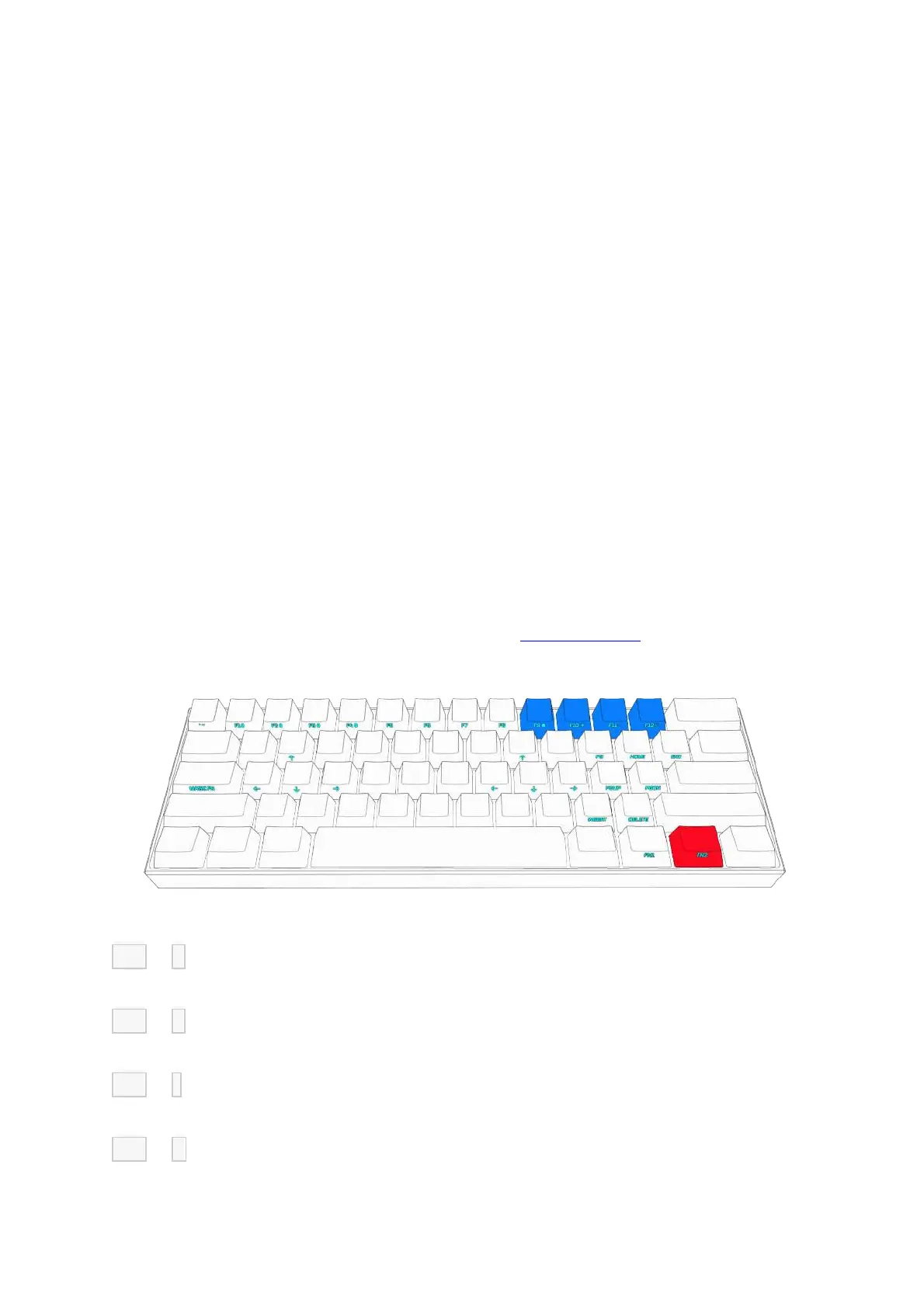
FN2 + 9 = Toggle preset lighting effects (see software for custom settings)
FN2 + 0 = Turn lighting ON / OFF
FN2 + - = Reduce brightness
FN2 + + = Increase brightness
1.3 F1~ F12


 To Next Page