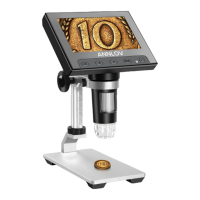
OK Button: This is a confirm button. In photo mode, press this button
to take a photo; in video mode, press this button to start/stop video
recording.
Left/Right Button: Both of them are select buttons. In the menu
mode, press them to move through the options.
Menu Button: This is a menu and switch button. Short press this
button to enter and exit the menu. In the power-on state, long press
this button for 2-3 seconds to switch the mode to "video mode", "photo
mode" or "file mode".
turn on or off.
Power Button: This is a power button, long press for 2-3 seconds to
clearest image.
When viewing an object, rotate it to focus and find the
Focus Wheel:
USB slot:
The Indicator light:
This slot is used to connect to a Windows computer with a
USB cable or for charging.
TF Card Slot: If you want to take photos or shoot videos, please inse-
rt he TF card.(Whether the microscope has a TF card is determined by
the dealer.)
into the hole and press to reset the device.
Reset Hole: If this microscope freezes, you can insert a small object
this wheel.
LED Light Wheel: Adjust the brightness of 8 LED lights by rotating
In the charging state, the indicator light is red
(when fully charged, the red light will go out); in the working state,
the indicator light is blue.
03



 To Next Page