Need help?
Do you have a question about the Annlov AM-06 and is the answer not in the manual?
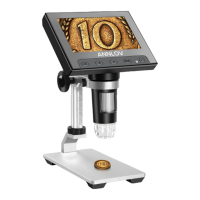
Details the 4.3-inch LCD screen and control buttons like OK, Menu, Power, Left, and Right.
Explains the Focus Wheel, Light Wheel, Reset Hole, and 8 LED lights for operation and adjustment.
Covers the TF Card Slot and USB Interface for data management and PC connection.
Provides step-by-step visual instructions for installing the microscope bracket.
Guides users on loosening, adjusting, and tightening the bracket for optimal height.
Describes how to navigate to and enter the system settings menu.
Details photo resolution and format settings available in the menu.
Explains video resolution, time stamps, and exposure compensation settings.
Covers options for deleting and locking/unlocking files within the file menu.
Outlines the steps to select 'PC Cam' mode and connect to a computer.
Lists default and optional software, including AMcap, for PC use.
Explains the Video, TF, and Battery icons shown on the boot interface.
Confirms the device supports connection to a bigger computer for viewing.
States that the device does not support Mac OS.
Explains how to charge the device and the role of TF cards.
Clarifies magnification limits and what can be viewed, such as coins and cells.
Discusses the mini DVD contents and software compatibility.
 General
| Light Source | LED |
|---|---|
| Eyepiece | WF10X, WF25X |
| Objective Lens | 4X, 10X, 40X, 100X |
| Connectivity | USB |
| Focusing System | Coarse and Fine Focusing |
| Stage | Double Layer Mechanical Stage |


 To Next Page