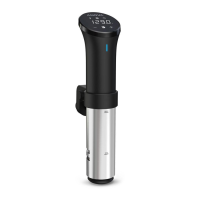
With a Precision™ Cooker WI-FI® you can schedule a cook from your phone and come home to the best meal
ever. Staying connected means staying updated about your meal every step of the way, no matter where
you are. Start cooking from anywhere and get ready to wow your family when they walk through the door!
Your Precision™ Cooker WI-FI® is smart enough to remember your WI-FI® network every time you cook.
Here's how to do the one-time initial setup:
1. Download the Anova Culinary WI-FI® App.
2. Make sure your device’s WI-FI® and Bluetooth® are turned on.
3. Make sure your phone is connected to your preferred WI-FI® network.
4. Have your WI-FI® network password ready.
5. Open the Anova Culinary WI-FI® App on your phone.
6. Go through the setup process on your phone.
7. A confirmation screen appears in the app.
8. Your cooker is now connected to WI-FI®!
Setting up WI-FI®
ANOVA PRECISION COOKER WI-FI USER MANUAL 2015 | PAGE 3


 To Next Page
 Loading...