English - 19 -
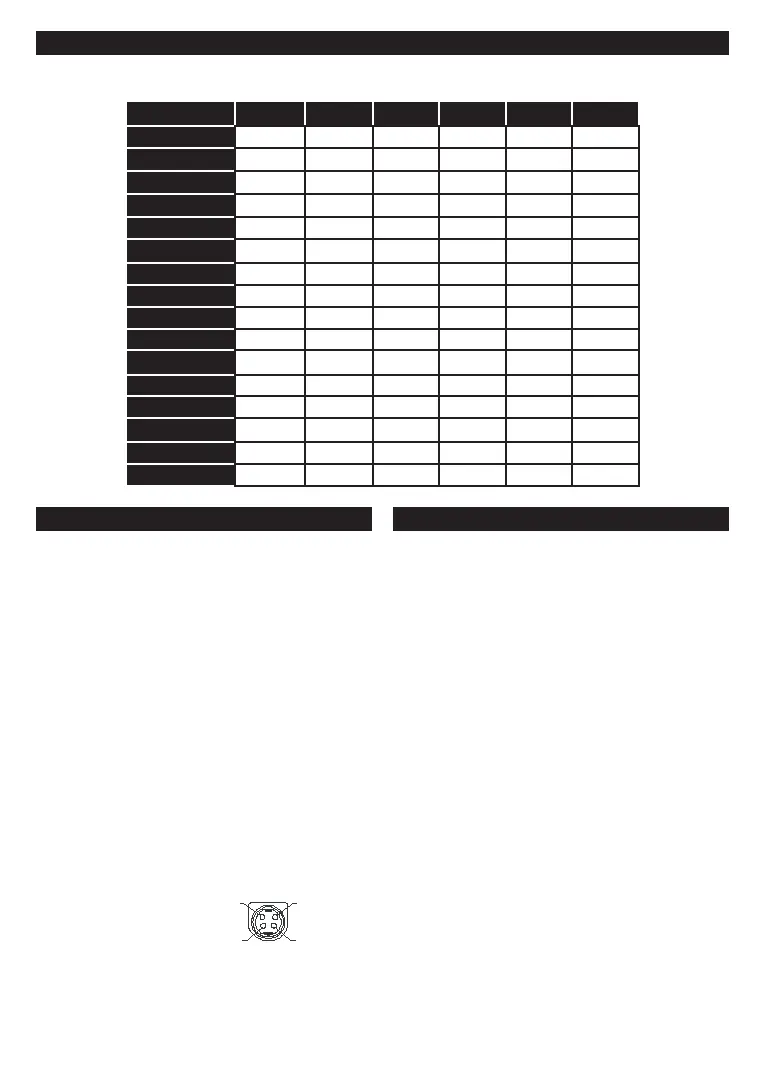
Supported DVI Resolutions
56Hz 60Hz 66Hz 70Hz 72Hz
640x400 x
640x480 x x x x
800x600 x x x x x
832x624 x
1024x768 x x x x x
1152x864 x x x
1152x870 x
1280x768 x x
1360x768 x
1280x960 x x
1280x1024 x x
1400x1050 x x
1440x900 x x
1600x1200 x
1680x1050 x
1920x1080 x
DVB functionality information
This DVB receiver is only suitable for use in the country
which it was designed to be used in.
Although this DVB receiver conforms to the latest DVB
guarantee compatibility with future DVB transmissions
due to changes that may be implemented in broadcast
signals and technologies.
Some digital television functions may not be available
in all countries.
We continually strive to improve our products;
notice.
For advice on where to purchase accessories,
please contact the store where you purchased your
equipment.
Mobil TV Instructions
Switching the TV On Using 12 Volt
1. Connect the cigarette lighter plug cable into the
cigarette lighter socket of your car.
2. Plug the other side of 12 volt cable into DC 12
socket on the back side of the TV. Then the
standby LED will light up.
3. Press the Standby button, Programme +/-
buttons or a numeric button on the remote control
or press the middle of the side function switch on
the TV in. The TV will then switch on.
4. Adjust the antenna position for better reception or
reinstall TV channels if necessary.
1. Press the Standby button on the remote control
or press the middle of the side function switch on
the TV in and hold it down for a few seconds, so
the TV will switch into standby mode.
2. Unplug cable connectors and power plugs.
ATTENTION: 12 V Input :



 To Next Page