
 Need help?
Do you have a question about the AnteaMED oppla and is the answer not in the manual?
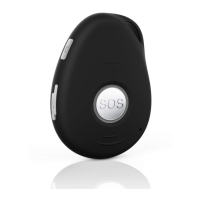
Identifies key components and controls of the device, including buttons, indicators, and ports.
Step-by-step guide for inserting the SIM card and necessary preparations.
Instructions for charging the device using USB charger or docking station.
Instructions on how to turn the device on and off.
Details the status indicated by the Power and GSM LEDs.
Explains the meaning of the device's GPS LED light.
Describes how to activate SOS alarms and make phone calls with the device.
Instructions on setting up to three authorized phone numbers for alerts.
Manages how the device answers incoming calls from authorized or all numbers.
How to set the device's time zone using SMS commands.
Customizing SMS messages with user-defined names.
Methods to obtain the device's location via coordinates or address.
Alerts when the device's battery level is critically low.
Securing commands with a password.
Procedure to modify the device's password.
Configuring sound alerts for SOS button presses.
Manages whether the device rings or vibrates for incoming calls.
Configures virtual geographical boundaries for alert notifications.
Sets a speed limit to trigger an alert if exceeded.
Triggers an alert when the device moves beyond a set distance.
Allows silent listening to the device's surroundings.
Triggers an alarm if the device remains stationary for a specified period.
Options to turn off the device's LEDs.
Assigns a phone number to the side button.
Configures Assisted GPS for improved location accuracy.
Sets sensitivity for detecting falls and triggering alerts.
How fall detection triggers SMS alarms and calls.
Manages whether registered numbers receive calls during alarms.
Enables or disables SMS alarms for alerts.
Command to retrieve the current configuration status of the device.
Command to restart the device.
Device operates with GSM and GPS constantly active.
Optimizes battery by deactivating GPS when not in use.
Maximizes battery by turning off GSM and GPS until movement is detected.
GPS activates only upon user interaction or incoming calls/SMS.
Device updates location at set time intervals.
How to connect the device for real-time tracking via the web platform.
Sets the Access Point Name for GPRS connectivity.
Configures the reporting interval for GPRS data transmission.
Commands to turn GPRS off and on again.
Sets interval for heartbeat packets to maintain TCP connection.
Configures data reporting when the device is stationary.
Retrieves current network configuration details.
Modifies the IP address and port for data transmission.
Explains how internal memory stores data during network loss.
Command to clear historical tracking data.
Guidelines for proper usage and storage to extend device life.
Technical details including dimensions, weight, frequencies, and performance.

 To Next Page
 General