EasyManua.ls Logo

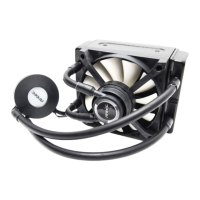
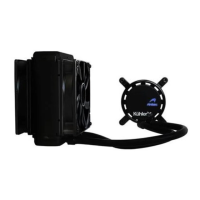
Antec Kuhler H2O 950 - User Manual

Antec Kuhler H2O 950
2 pages
Print Icon
To Next Page IconTo Next Page
Loading...
1 2 3
LGA1150/
LGA1155/
LGA1156
LGA1366
LGA2011
LGA775
AMD
LGA1150/
LGA1155/
LGA1156
LGA775
LGA1366
LGA2011
EN: Adjust mounting bracket (D) to Intel or AMD configuration.
Insert bracket clip (L)
EN: Remove the adhesive backing. Align metal inserts and push the
backplate firmly against the back of the motherboard
EN: Flip the backplate (A) to Intel or AMD side. Place metal inserts (B)
into four mounting holes that correspond with your chipset. Adhere
double sided tape to the opposite side of the backplate
X4
X4
X4
X4
X4
X4
X4
X4
h
2
o
Kühler
ANTEC GRID™
Liquid Cooling Software v.1.0
LGA2011
L
LGA775
AMD
6631 AGL
L
LGA 1150/
1155/1156
4
EN: Remove the plastic covering from the copper cold plate. Then attach
mounting bracket to the coldplate by aligning and twisting clockwise
until it locks into place
5 6
7
1
2
43
1
2
34
EN: Connect the female 4- pin connector from the fan to the 4-pin male
connector from the coldplate. Connect the 3-pin female connector
from the coldplate to the 3-pin or 4pin CPU fan or chassis fan
connector on your motherboard
Note: make sure to disable the Q-Fan Control function of the connector in the BIOS
EN: Find the correct screws (F, E or G) to attach your cold plate to the
motherboard
(F): Screws for Intel LGA 2011 Socket
(E): Screws for Intel LGA 775, 1150, 1155, 1156 and 1366, and
AMD Sockets
(G): Screws for original AMD back plate that comes with the motherboard
EN: Install radiator with the screws provided
Question and Answer IconNeed help?

Do you have a question about the Antec Kuhler H2O 950 and is the answer not in the manual?

Summary

Antec Kühler H2 O Installation Guide

Prepare Cold Plate and Mounting Bracket

Remove plastic covering from the copper cold plate and attach the mounting bracket.

Configure Mounting Bracket

Adjust the mounting bracket to Intel or AMD configuration and insert the bracket clip.

Install Motherboard Backplate

Flip backplate to chipset side, place metal inserts, and adhere double-sided tape.

Secure Backplate to Motherboard

Remove adhesive backing and firmly push the backplate against the back of the motherboard.

Attach Cold Plate to Motherboard

Select correct screws (F, E, or G) to attach the cold plate to the motherboard.

Install Radiator

Install the radiator using the provided screws.

Connect Fan and Power Cables

Connect fan to cold plate, and cold plate to motherboard CPU fan connector.

Software Installation

Install Cooling Software

Install the cooling software from the included CD and restart the system.

Antec Kuhler H2O 950 Specifications

General IconGeneral
Radiator Size120mm
Radiator MaterialAluminum
Fan Size120mm
Warranty3 years
TypeLiquid CPU Cooler
Radiator Dimensions120mm x 152mm x 27mm
PumpIntegrated
Fan Dimensions120mm x 120mm x 25mm
Fan Speed600 - 2000 RPM
Socket CompatibilityIntel LGA 2011/1366/1156/1155/775, AMD FM2/FM1/AM3+/AM3/AM2+/AM2
Tube Length300mm

Related product manuals