
 Need help?
Do you have a question about the Antelope ATLAS i8 and is the answer not in the manual?
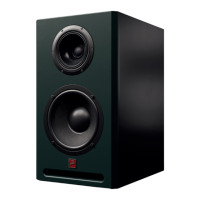
The Antelope Audio Atlas i8 is a high-end studio monitor designed to deliver unparalleled sound accuracy in any studio environment. It combines Antelope Audio's advanced clock and interface technologies with meticulous acoustical engineering, ensuring a precise and fatigue-free listening experience.
The Atlas i8 serves as an isobaric active 3-way monitor, meaning it incorporates an isobaric configuration with two 8-inch woofers for enhanced bass response, a coaxial mid and high-frequency driver for accurate sound reproduction, and a custom Class-D 400W amplifier. This design allows for precise audio reproduction across a wide frequency range. At its core, the Atlas i8 utilizes a custom digital processing system with FPGA chips. This system is crucial for achieving a neutral frequency response and linear phase, which translates to accurate, pinpoint sound. The integrated DSP also provides a variety of features designed to improve everyday studio life, offering flexibility and control over the monitor's performance.
The Atlas i8 offers a comprehensive set of features accessible through its color display and rotary knob, allowing users to tailor the monitor's performance to their specific needs and acoustic environment.
The monitor operates within a voltage range of 100-240V, with a maximum electric power consumption of 400W. It uses a standard 3-pin AC F256 power plug and includes a power fuse for protection. For audio input, the Atlas i8 supports both analog line-level signals via combo XLR/TRS inputs and digital AES3 signals via AES XLR inputs. It also features digital AES/EBU XLR outputs, enabling daisy-chaining of multiple monitors for stereo or surround setups. A USB connector is also present, likely for firmware updates or control.
The color display provides real-time information on the input source, volume level, EQ adjustments, delay offset, clock source, sample rate, and the status of the Two-way and Bass extension modes. The rotary knob is the primary interface for navigation and control, offering multiple functions:
Users can select between "ANALOG" for the TRS/XLR input or "AES IN 1" or "AES IN 2" for the digital XLR inputs. The AES/EBU protocol allows for two channels of signal, enabling two monitors to be daisy-chained from a single interface.
The monitor supports 176kHz and 192kHz sample rates. When using AES/EBU, the sample rate can adapt to the source signal, typically locking automatically without manual configuration.
The "Analog in Level" setting allows users to select the appropriate gain stage for the incoming analog signal, with options ranging from 20dBu to 0dBu. This ensures proper matching with the output level of the audio interface.
This mode activates a low-cut filter at selectable frequencies (80Hz, 100Hz, or 120Hz). It's useful when combining the monitors with a subwoofer or for simulating playback systems with limited frequency response, such as those found in TVs, laptops, cars, and portable speakers.
The "Bass Extension" mode applies specific IIR filters to enhance the low-end frequency range, allowing the monitor to reach lower frequencies and boost the overall bass response.
While the Atlas i8 is designed for a neutral frequency response in an anechoic environment, its EQ section allows for acoustic adjustments in various monitoring environments. It provides four individual bands with gain control (between -6 and +6dB) and adjustable frequencies:
The delay functionality helps achieve better stereo imaging and balance, especially when monitors are positioned at unequal distances from the listening spot. Delays between 0 and 10ms can be added in 0.1ms steps. This feature is crucial for correcting phase issues and maintaining audio coherence. It also aids in compensating for video delay (lip sync) in video production workflows.
All settings can be saved and recalled as one of four individual presets. This allows users to quickly switch between different configurations for various tasks or room conditions.
Users can configure the display to turn off after a set period (Off, 2, 5, 15, 30, 60, or 120 minutes) to conserve energy and prevent screen burn-in.
The manual emphasizes several safety precautions to ensure proper operation and prevent damage or injury. These include:
A "Factory reset" option is available to restore all settings to their default values. This action will delete all saved presets.
The "Device info" section provides details about the hardware revision, serial number, and firmware version installed on the monitor, which can be useful for troubleshooting or support.
The "STANDBY" option digitally turns off the speaker. However, to completely power off the monitor electrically, the power switch on the bottom left corner of the rear panel must be switched off.
The Atlas i8 incorporates individual Peak and RMS limiters for the low, mid, and high-frequency channels. These limiters are designed to protect each driver from high amplitudes and prolonged input signal spikes that could cause damage due to over-excursion of the voice coil. These digital limiters do not affect the audio quality when the signal is below the threshold values.
For AES/EBU connections, the manual recommends using a 110-ohm shielded twisted pair (STP) cable with XLR connectors, as standard XLR cables for analog signals might deteriorate the digital signal. Using AES connection bypasses the DA converter of the interface and the AD converter of the monitor, ensuring a pure digital signal path.
 Frequency and Sound
| frequency range | 35 - 20 000 Hz |
|---|---|
| max SPL | 117 dB at 1 m |
Power and Amplifier| amp wattage | 400W (200W low + 100W mid + 100W high) |
|---|---|
| active or passive | Active |
| AD/DA converter | 24-bit/ 192 kHz |
Connectors| input connectors | Analog XLR/TRS; Digital AES/EBU |
|---|---|
| output connectors | Digital AES/EBU |
| equalization | Digital parametric |
Driver Specifications| driver sizes | LF: 2x8" isobaric, MF: 5.5", HF: 1.5" coaxial |
|---|---|
| speaker configuration | Three-way |
| monitor application | Mid-field |
 Weight and Dimensions
| dimensions | W 292 mm, D 387 mm, H 500 mm |
|---|---|
| weight | 24 kg |
| enclosure type | Front ported |

 To Next Page