
 Need help?
Do you have a question about the Antelope Axino Synergy Core and is the answer not in the manual?
Steps to configure the Axino Synergy Core for Windows 10 operation.
Steps to configure the Axino Synergy Core for macOS 10.14 and later.
Overview of the 'Devices' tab in the Antelope Launcher application.
Overview of the 'Plug-ins' tab in the Antelope Launcher application.
Overview of the 'System' tab in the Antelope Launcher application.
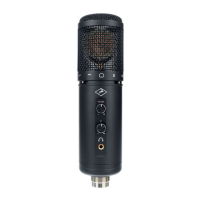
Explanation of the physical controls on the Axino Synergy Core device.
Explanation of the headphone volume knob and output jack.
Learn about keyboard and mouse shortcuts for the Control Panel.
Understand the layout and function strip of the Control Panel application.
Manage session configurations and control buttons in the Control Panel.
Explore the options available in the Control Panel settings window.
Details the input level meter and knob in the Control Panel.
Learn about mic emulations and FX presets within the Control Panel.
Introduction to the Synergy Core FX Rack and its functionality.
Details on the AuraVerb reverb send effect parameters and usage.
Understand the three mixer channels and their audio routing capabilities.
Details on reverb send knobs and FX areas within the mixer.
Learn to adjust channel volumes and mute/unmute channels in the mixer.
Details the headphone volume control and mute button in the mixer.
Explanation of the available inputs and outputs for recording.
Guidance on configuring and recording from inputs 3 and 4.
Information on using outputs 1 and 2 for monitoring and playback.
How to use outputs 3 and 4 for effects processing and recording.
Information on how to contact Antelope Audio customer support.
Links to helpful resources like YouTube channel and Knowledge Base.
Steps to take when your product isn't working, including RMA procedures.
Details the terms and conditions of the limited product warranty.
Specifics for refurbished products, remedies, and exclusions.
Information regarding limitations of liability for Antelope Audio.
Procedures for making warranty claims and returning products.
 Microphone Specifications
| diaphragm diameter | 34 mm |
|---|---|
| polar pattern | Cardioid |
| frequency response | 20 Hz ~ 20 kHz |
| self-noise | 17 dBA |
| max SPL | 140 dB (<1% THD @ 1kHz) |
| sensitivity | 34±3 dB (at 1kHz 0dB=1v/pa) |
Power and Connectivity| power requirements | 5.0/500 mA (USB Bus powered) |
|---|---|
| USB connector | USB Type-B (USB 2.0 compatible) |
| headphone output | 1/8” (3.5 mm) stereo jack |
Audio Performance| headphone output DAC | High-Performance DAC with 124dB dynamic range |
|---|---|
| microphone ADC | 117dB dynamic range |
Dimensions and Weight| weight (mic body) | 0.96 lbs (435 grams) |
|---|---|
| dimensions (mic body) | 1.9" x 2.2" x 7.4" (50mm х 56mm х 188mm) |

 To Next Page
