Need help?
Do you have a question about the Anthro Elevate II and is the answer not in the manual?
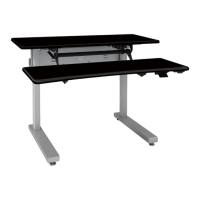
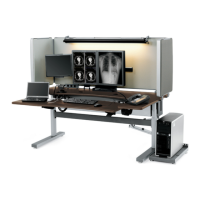
The Anthro Elevate II is an electric lift table designed to provide a versatile and ergonomic workspace. Its primary function is to allow users to easily adjust the height of their work surface, facilitating both seated and standing positions throughout the day. This adaptability promotes better posture, reduces fatigue, and enhances overall well-being in various work environments, from offices to creative studios.
The table's design emphasizes user-friendliness and stability. It features a robust construction that ensures durability and a smooth, consistent lifting mechanism. The electric lift system is controlled by a keypad, which allows for precise height adjustments with minimal effort. This intuitive control interface is a key usage feature, enabling users to quickly transition between different working heights to suit their preferences or tasks. The keypad can be strategically placed on either the left or right side of the worksurface, offering flexibility based on individual user needs and desk configurations. This thoughtful placement ensures that the controls are always within easy reach, regardless of the user's dominant hand or the table's orientation in the room.
One of the standout usage features of the Elevate II is its quiet operation. The electric motors are engineered to provide smooth and silent height transitions, preventing disruptions in a shared office space or during focused work. This quiet performance is crucial for maintaining a productive and serene environment. The table's ability to move through its entire range of motion smoothly and without jarring movements is a testament to its quality engineering.
The assembly process for the Elevate II is designed to be straightforward, with clear instructions provided to guide users through each step. The manual highlights the importance of laying the worksurface upside down on a cushioned, non-marring surface during initial assembly to protect its finish. This attention to detail in the assembly instructions reflects a commitment to ensuring a positive user experience from the very beginning. The inclusion of specific tools, such as a 5/32" hex Anthro driver, 5/32" hex driver bit, 5mm hex key, 1/8" hex key, and a 3-way wrench, simplifies the setup process by providing all necessary implements. For those who prefer, the option to use a personal 3/8" socket for certain steps further enhances convenience.
The table's construction involves several key components, including gussets, electric legs, a motor housing, a cross pan, a cable tray, a control box, a keypad, and feet. Each component plays a vital role in the table's structural integrity and functionality. The gussets, for instance, are designed to align with pre-drilled holes on the top, ensuring a secure attachment and contributing to the table's overall stability. The electric legs, which house the lifting mechanism, are carefully integrated to provide reliable and consistent height adjustment. The motor housing protects the internal components of the lifting system, while the cross pan adds further structural support and helps to organize wiring.
A significant usage feature is the integrated cable management system, which includes a cable tray. This tray is designed to help users route and organize power and data cables, keeping the workspace tidy and free from clutter. The ability to manage cables effectively is essential for maintaining a clean aesthetic and preventing potential hazards. The manual specifically instructs users to ensure their power and data cables are long enough to accommodate the table's full range of motion, a practical consideration that prevents accidental disconnections or damage. The provision of cable clips further aids in securing and organizing cords, enhancing the overall functionality and neatness of the workstation.
The "homing" feature for the legs is another practical usage aspect. After assembly and initial power-up, users are instructed to move the table all the way down using the keypad, release the button, and then press it again to "Home" the legs. This process calibrates the legs, ensuring synchronized movement and optimal performance. This step is crucial for the table's long-term functionality and smooth operation.
The Elevate II is available in various worksurface dimensions, catering to different space requirements and user preferences. The options include 48w 23.25d Basic, 48w 23.25d Plus, 48w 29d Basic, 48w 29d Plus, 60w 23.25d Basic, 60w 23.25 Plus, 60w 29d Basic, and 60w 29d Plus. The "Plus" tables feature a sloping waterfall edge at the front, adding a touch of ergonomic design, while the "Basic" tables have a seam where the edgebanding meets at the back. These variations allow users to select a table that best fits their aesthetic and functional needs.
While the manual primarily focuses on assembly and initial setup, it implicitly addresses maintenance through its emphasis on proper installation and component care. The use of specific screws and fasteners, such as 1" Button-head MDF Screws, M6-10 Button-head Screws, M6x14 Flat-head Screws, 3/4" Phillips SMS Zinc Screws, 1/2" Button-hd Screws, 10-24 Nylock Nuts, and M6-20 Cap Screws, ensures that all parts are securely joined, contributing to the table's stability and longevity. Adhering to the assembly instructions, including the proper tightening of fasteners, is a fundamental aspect of preventive maintenance, ensuring the table operates as intended for an extended period.
The robust construction and quality materials used in the Elevate II suggest that routine maintenance is minimal. The electric lift mechanism is designed for reliability, reducing the need for frequent adjustments or repairs. However, users are encouraged to route cords carefully and ensure they are long enough to prevent strain on connections, which can contribute to the longevity of the electrical components. The cable management system, by keeping cables organized and protected, also serves as a maintenance feature, preventing wear and tear on wires that could otherwise be snagged or damaged.
In summary, the Anthro Elevate II electric lift table is a well-designed and user-centric device focused on providing an adaptable and comfortable workspace. Its key usage features include easy height adjustment via a keypad, quiet operation, and effective cable management. While explicit maintenance instructions are not detailed, the emphasis on proper assembly and component integration suggests a design built for durability and minimal upkeep, ensuring a reliable and ergonomic solution for various work settings. The table's thoughtful design, from its varied worksurface options to its intuitive controls, underscores its commitment to enhancing the user's daily working experience.
 General
| Depth | 30 inches |
|---|---|
| Frame Material | Steel |
| Desktop Material | Laminate |
| Adjustment Mechanism | Electric |
| Type | Adjustable Desk |
| Height Adjustment | 25.5" to 51" |
| Warranty | 5 years |

 To Next Page