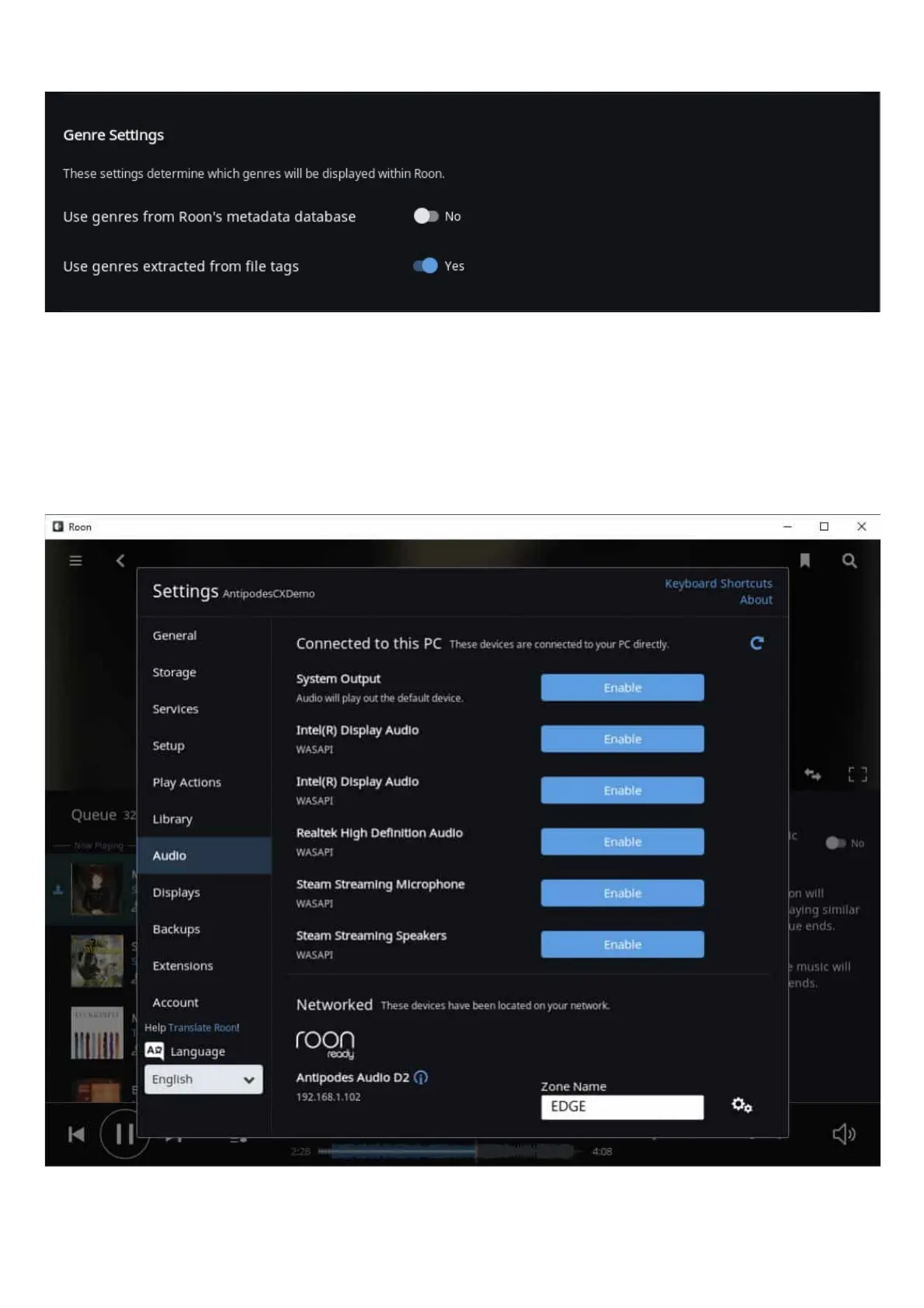
The second setting is optional, and at Library Settings click on ‘Import Settings’.
We nd that most of our customers want to use the Genres already setup in their music les, because they have carefully organised their
library by setting genres that make sense to them. The default is to use Roon’s genres, and you can simply change to using the Genres in your
music les by making the settings shown above.
Setting Up Roon Ready
Once you have saved, the Antipodes will appear under ‘Networked’ as a Roon Ready device in Roon’s Audio Settings, and will display the IP
Address. If the IP address is 127.0.0.1, it signies that the player is on the same device as the current Roon Server app.
Open Roon Remote and play music.



 To Next Page