Setting Up Roon Server
Roon Server is pre-installed on your Antipodes, but the next steps require you to install Roon on the device you intend to use as a remote
control. For a PC go to roonlabs.com to download the application. For a tablet or smartphone, go to the app store for your device and search
for ‘roon’.
Once downloaded, open it and follow the steps to setup Roon on the remote control device. Note that with an Antipodes music server you do
not need to enter a location for your music library during the Roon setup, because it has already been preset for you.
While installing Roon on your remote device, you can select the Antipodes that you intend to use for Roon Server. We recommend that you then
make the following 3 setup alterations to Roon Server.
– DSP Settings
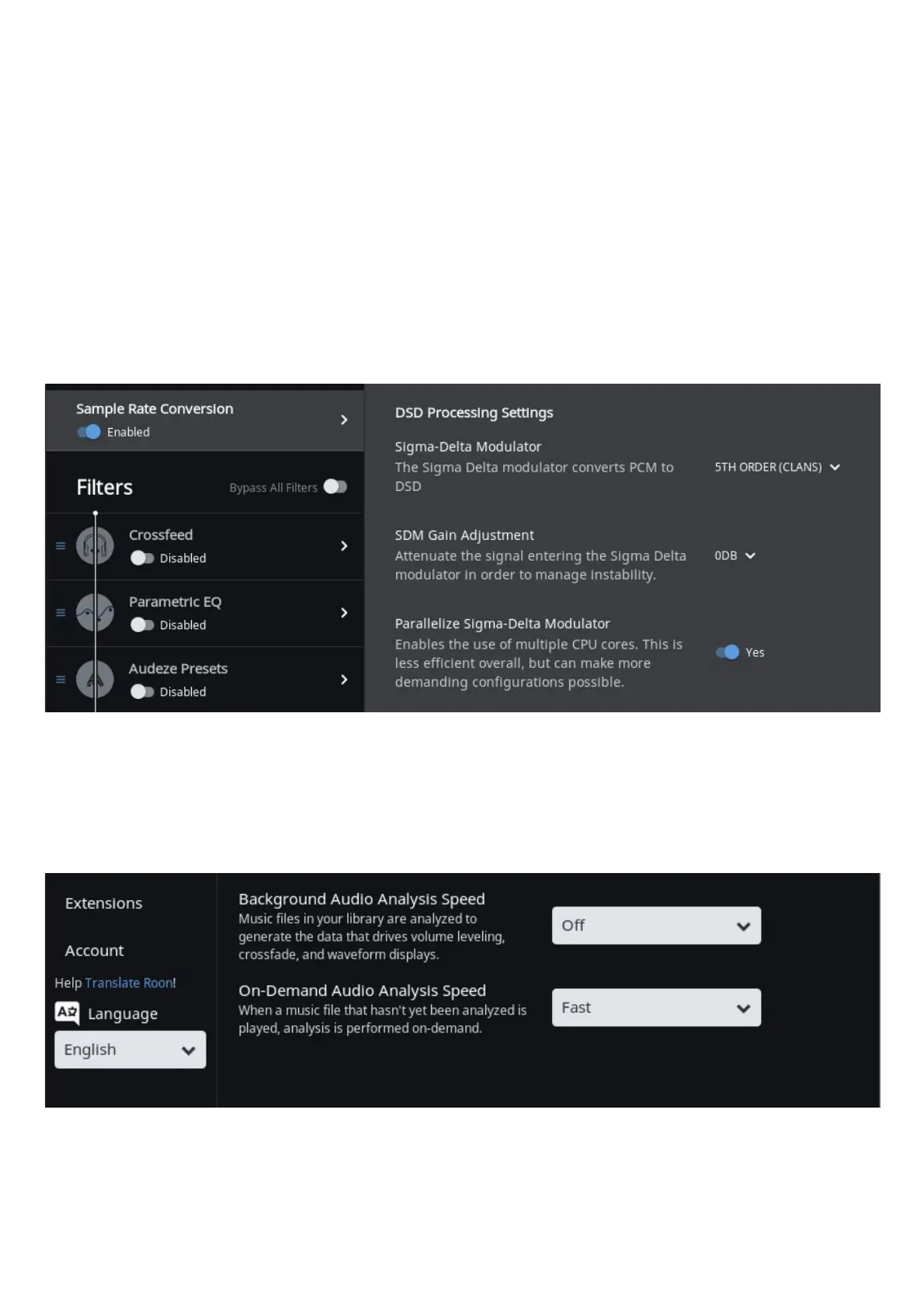
If you intend to use DSP for resampling/transcoding, then to tap into all of the power of your server, you should turn ‘Parallelize Sigma-Delta
Modulator’ on. To optimise sound quality, an Antipodes server runs the CPU at around 50% of its full speed. To deliver high power without
compromising sound quality, you can use all of the CPU cores for the task by setting this option to ‘Yes’.
– Library Settings
There are two Library settings we recommend you make. Open Settings and click on Library.
Antipodes servers run fanless for silent operation and for optimum sound quality. We highly recommend that the Background Audio Analysis
function be set as shown below.
If you have Background Audio Analysis on, then it will diminish sound quality while it is analysing your whole library. If you like the feature, then
set On-Demand Audio Analysis to ‘Fast’ and the analysis will happen almost instantaneously and only the rst time you play the track. This
makes it unnecessary to have the analysis running in the background.
But most importantly, you should never set the Background analysis to run any of the cores of a CX at 100%. The passive cooling of the CX is
not designed to support such a heavy sustained load.


 To Next Page
 Loading...

