MEDIA
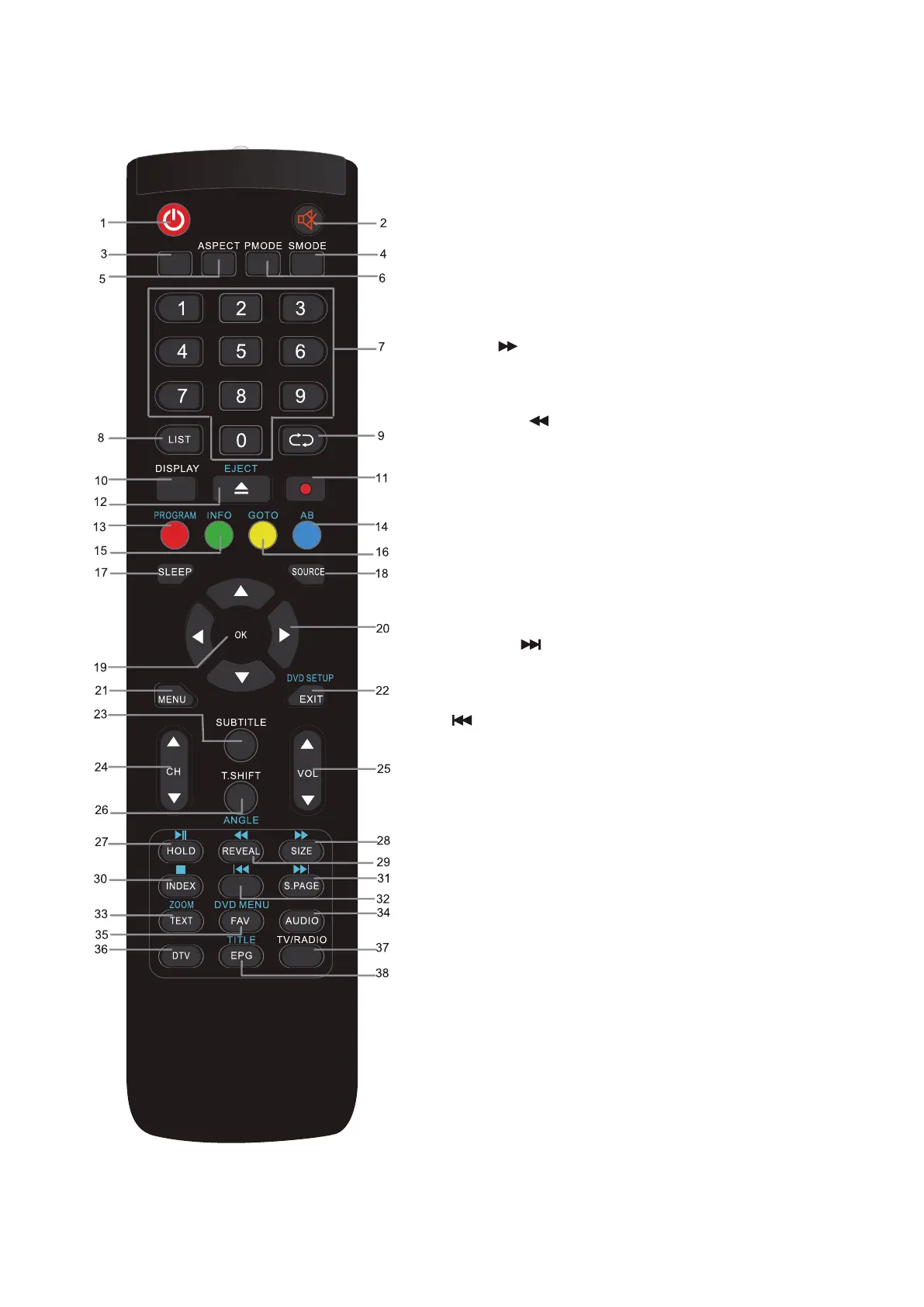
23. SUBTITLE: Used to switch among different subtitles
that are broadcasted in DTV and DVB-S mode.
24. CH+/-: Channel selection
25. VOL+/-: Adjust the volume level.
26. T.SHIFT: Start / Stop time shift recording
27. HOLD/ PLAY:
TV mode: picture freeze
USB/DVD mode: Play the media player
28. SIZE/
TV Teletext mode: To change the view
USB/DVD mode: Forward file playback
29. REVEAL/
TV Teletext mode: to show hidden information
if existing.
USB/DVD mode: Fast rewind for USB/DVD file
playback
30. INDEX/STOP:
TV Teletext mode: To open the Index page
TV mode: To open the record settings
USB/DVD mode: Stop for USB/DVD file playback
31. S.PAGE/
TV Teletext mode: To open a subpage if existing.
USB/DVD mode: go to the next file
32.
USB/DVD mode: go to the previous file
33. TEXT/ZOOM:
TV mode: to open teletext if teletext available in
the broadcasted stream.
USB/DVD mode: Picture zoom
34. AUDIO: To change the audio track
35. FAV/DVD MENU:
TV mode: Used to access your favorite channels.
USB/DVD mode: To open the DVD main menu
if existing
36. DTV: Switch to TV input directely
37. TV/RADIO: It is used to switch between digital TV
channels and radio stations if existing.
38. EPG/TITLE:
TV mode: To display information about the program
being viewed and what’s on next.
USB/DVD mode: To open the DVD Title menu if
existing.


 To Next Page
 Loading...