BUTTON CONTROL AND PERIPHERAL CONNECTION
OLRTNOC NOTTUB
In the non-menu page,Under the menu page, press the left and
right keys to adjust
the volume addition and subtraction.
In the standby mode, press the to turn on the TV.
In the boot state, long press the to shut down.
In the non-menu page, you can adjust the TV channel under the
program addition and subtraction;
Under the menu page, you can move the cursor up and down.
Under the menu page
, function equivalent to the OK key.
OK/
OK/
/OK
CH-/CH+
VOL-/VOL+
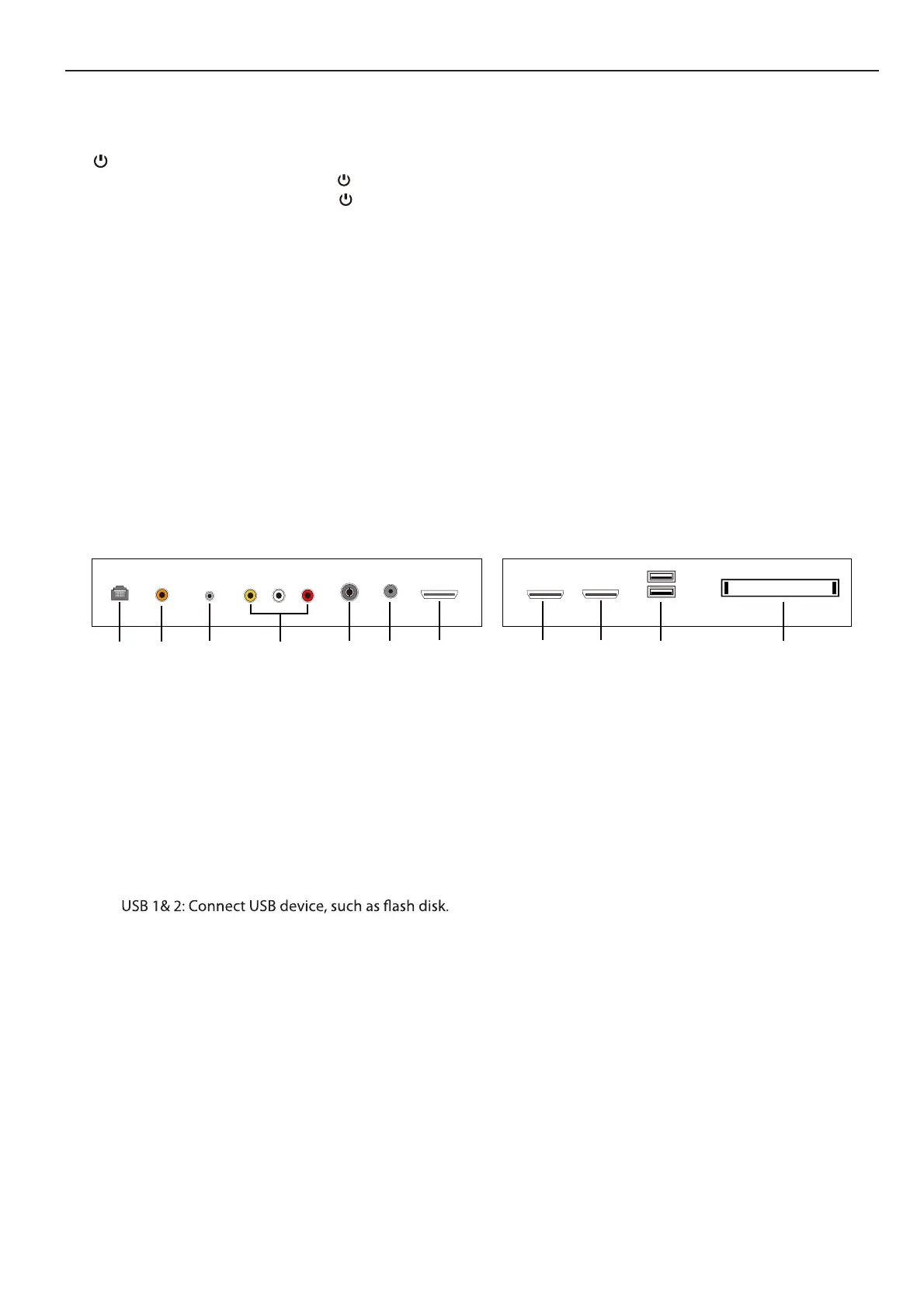
PERIPHERAL CONNECTION
2. Audio out terminal.
1. RJ45
3. Earphone terminal.
5. RF antenna.
.4 Audio&Video input terminal.
2 6 7 81 43 5 9 10 11
7. HDMI1 input terminal.
9. HDMI3 input terminal.
8. HDMI2 input terminal.
10.
6. LNB IN.
11. CI slot.



 To Next Page