EasyManua.ls Logo

Anviz FacePass 7 IRT - User Manual

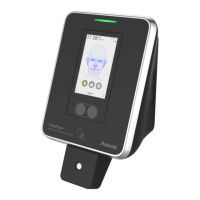
Anviz FacePass 7 IRT
10 pages
Print Icon
To Next Page IconTo Next Page
Loading...
FacePass 7
Quick Guide
Anviz brand and product are trademarked and protected under law of the United States.
Unauthorized use is prohibited.
For more information visit www.anviz.com, or email marketing@anviz.com for further help.
©2020 Anviz Global Inc. All Rights Reserved.
Touchless Face Recognition and Infrared
Thermal Temperature Detection Terminal
V1.0
IRT
POWERING A SMARTER WORLD
Question and Answer IconNeed help?

Do you have a question about the Anviz FacePass 7 IRT and is the answer not in the manual?

Overview

The Anviz FacePass 7 IRT is a touchless face recognition and infrared thermal temperature detection terminal designed for access control and time attendance management. It is part of Anviz's "POWERING A SMARTER WORLD" product line, emphasizing advanced technology for security and efficiency.

Function Description:

The FacePass 7 IRT serves as a multi-functional device, integrating touchless face recognition with infrared thermal temperature detection. Its primary function is to identify individuals and simultaneously check their body temperature, making it suitable for environments requiring both access control and health screening. The device supports various authentication methods and can be integrated into a broader management system like Anviz CrossChex for comprehensive time attendance and access control. It features a new AI deep learning algorithm and live infrared detection technology, enabling it to recognize registered users even when wearing masks. If an unmasked user is detected, the device will prompt them to wear a mask. The terminal can trigger a relay to open doors for individuals with normal temperatures and activate an alarm for those with abnormal temperatures, enhancing security and safety protocols.

Important Technical Specifications:

  • Operating Temperature: 0℃ to 45℃
  • Operating Humidity: 20-80%
  • Recommended Installation Height: 120cm
  • Recommended Temperature Recognition Distance: 30-50 cm
  • Recommended Face Recognition Distance: 30-80cm
  • Face Recognition Height Range: 145cm to 195cm (when installed at 120cm)
  • Adaptive Angles for Face Recognition: ±20° horizontally and vertically
  • Temperature Unit: Switchable between °C and °F
  • Fever Alarm Value: Configurable (e.g., 373 for 37.3°C, representing 10 times the normal temperature for complex calculations with decimal points).
  • Communication Modes: Ethernet and Wi-Fi, supporting server and client modes.
  • Matching Precision Levels: Basic (excellent face comparison speed), Good (fast face comparison speed with high secure protection, recommended), Excellent (top security precision, recommended for high-security properties).

Usage Features:

  • Touchless Operation: Ensures hygienic use by eliminating physical contact for authentication and temperature checks.
  • Real-time Feedback: The device provides visual cues during the recognition process: a purple frame for face positioning, a red frame for identified faces, a yellow frame for temperature recognition, and a green frame for successful face enrollment.
  • Mask Recognition: The advanced AI algorithm allows for the recognition of registered users even when they are wearing masks.
  • Mask Detection and Control: Users without masks can be reminded to wear one. The device offers different mask settings: "OFF" (disables mask detection), "Only Alarm" (registered users have access but are notified about not wearing a mask), and "Access Control" (restricts access for users not wearing masks).
  • Temperature Rectification: A "TEMP. Rectify" setting allows for fine-tuning the temperature reading to match the exact temperature, displayed on the terminal's temperature module.
  • System Settings: Users can easily configure date, time, device ID, and admin password through the intuitive interface.
  • Quick Face Registration: A streamlined process for enrolling new faces, with on-screen guidance to ensure proper face positioning.
  • Multiple Authentication Methods: In addition to quick face registration, the device supports other authentication methods, including card swipe.
  • Network Connectivity: Supports both Ethernet and Wi-Fi for flexible integration into existing network infrastructures, with options for server or client mode.
  • CrossChex Integration: Temperature records and other data can be managed and checked through the Anviz CrossChex time attendance and access control management system.

Maintenance Features:

  • Display Screen Cleaning: The display screen and panel should be cleaned gently with a soft, dry cloth. Avoid using water, detergent, or alcohol to prevent damage.
  • Reset Button: A reset button is available to restart the device in case of operational issues or to terminate an operation.
  • Environmental Protection: The device is designed for indoor use. It is not waterproof, so liquids should be avoided. Installation should prevent direct sunlight, humidity, or dust exposure. If installed outdoors, waterproof protection must be ensured.
  • Delicate Parts: Users are advised to handle the terminal with care, avoiding falling, crashing, bending, or heavy pressing to protect its delicate internal components.
  • Software Updates: Anviz provides electronic documents and support via their website and email for installation and usage, implying potential for software updates and ongoing support.

Anviz FacePass 7 IRT Specifications

General IconGeneral
BrandAnviz
ModelFacePass 7 IRT
CategoryMeasuring Instruments
LanguageEnglish