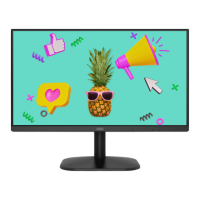
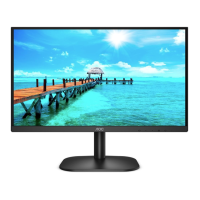
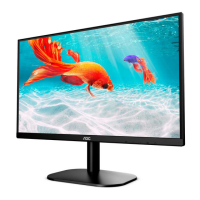
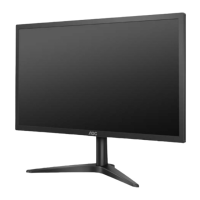
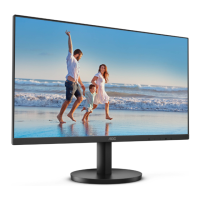
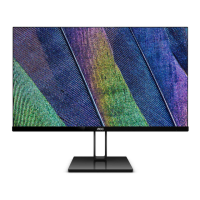
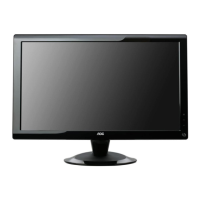
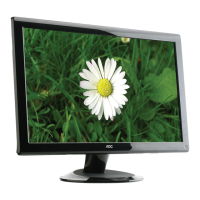
This document is a user manual for the AOC 22B2HM2 LCD Monitor, providing comprehensive information on its setup, adjustment, specifications, and troubleshooting.
Function Description:
The AOC 22B2HM2 is an LCD monitor designed for general computing tasks, offering a visual display interface for computers. It supports various display modes and includes features to optimize viewing experience, such as Adaptive-Sync for smoother visuals and Clear Vision for enhanced image clarity. The monitor is equipped with multiple input options, including HDMI and D-Sub (VGA), allowing connectivity with a wide range of devices. It also features an earphone output for audio.
Important Technical Specifications:
- Model Name: 22B2HM2
- Driving System: TFT Color LCD
- Viewable Image Size: 54.5cm diagonal
- Pixel Pitch: 0.2493 (H)mm x 0.241 (V) mm
- Video Interface: R, G, B Analog Interface & HDMI Interface
- Separate Sync: H/V TTL
- Display Color: 16.7M Colors
- Horizontal Scan Range: 30k-115kHz
- Horizontal Scan Size (Maximum): 478.656mm
- Vertical Scan Range: 48-100Hz
- Vertical Scan Size (Maximum): 260.28mm
- Optimal Preset Resolution: 1920x1080@60Hz (VGA), 1920x1080@100Hz (HDMI)
- Max Resolution: 1920x1080@100Hz (HDMI)
- Plug & Play: VESA DDC2B/CI
- Power Source: 19Vdc, 1.31A
- Power Consumption:
- Typical (default brightness and contrast): 20W
- Max (brightness = 100, contrast =100): ≤ 23W
- Standby mode: ≤0.3W
- Connector Type: HDMI/D-Sub/Earphone out
- Signal Cable Type: Detachable
- Operating Temperature: 0°C~40°C
- Non-Operating Temperature: -25°C~55°C
- Operating Humidity: 10%~85% (Non-Condensing)
- Non-Operating Humidity: 5%~93% (Non-Condensing)
- Operating Altitude: 0~5000 m (0~16404ft)
- Non-Operating Altitude: 0~12192m (0~40000ft)
- Preset Display Modes: Supports various resolutions and refresh rates, including 640x480@60Hz, 800x600@60Hz, 1024x768@60Hz, 1280x1024@60Hz, 1920x1080@60Hz, 1920x1080@75Hz, and 1920x1080@100Hz.
- Pin Assignments: Detailed pin configurations for 15-Pin Color Display Signal Cable (VGA) and 19-Pin Color Display Signal Cable (HDMI) are provided.
Usage Features:
- Setup: The manual details how to set up the monitor stand and base, including steps for both assembly and removal. It also provides instructions for wall mounting, emphasizing the use of manufacturer-approved kits and proper screw insertion.
- Adjusting Viewing Angle: The monitor allows for tilt adjustment from -5° to 20° for optimal viewing. Users are advised to hold the stand and avoid pressing the LCD screen during adjustment to prevent damage.
- Connecting the Monitor: Clear instructions are given for connecting the monitor to a PC using HDMI or D-Sub (VGA) cables, as well as connecting the power cord and earphones. Users are reminded to turn off both the PC and monitor before connecting cables.
- Hotkeys: The monitor features dedicated hotkeys for quick access to various functions:
- Source/Auto/Exit: Switches input source, performs auto-configure (for D-Sub), or exits OSD.
- Clear Vision/<: Activates Clear Vision mode with options for weak, medium, strong, or off settings, and can activate a Clear Vision Demo.
- Volume/Image ratio/>: Adjusts volume or switches between 4:3 and wide image ratios.
- Menu/Enter: Displays OSD or confirms selections.
- Power: Turns the monitor on/off.
- OSD Setting: The On-Screen Display (OSD) menu provides extensive control over monitor settings:
- Luminance: Adjusts Contrast, Brightness, Eco Mode (Standard, Text, Internet, Game, Movie, Sports, Reading), Gamma (Gamma1, Gamma2, Gamma3), DCR (On/Off), and HDR Mode (Off, HDR Picture, HDR Movie, HDR Game). Note that when HDR Mode is active, Contrast, ECO, and Gamma cannot be adjusted.
- Image Setup: Adjusts Clock, Phase, Sharpness, H. Position, and V. Position. These settings help reduce vertical/horizontal line noise and adjust image sharpness and position.
- Color Setup: Configures Color Temperature (Warm, Normal, Cool, User, Panel Native), Color Gamut (sRGB), LowBlue Mode (Off, Reading/Office/Internet/Multimedia), DCB Mode (Off, Full Enhance, Nature Skin, Green Field, Sky-blue, AutoDetect), DCB Demo (On/Off), and individual Red, Green, Blue gain. When HDR Mode is active, Color Setup items cannot be adjusted.
- Picture Boost: Allows adjustment of Bright Frame (On/Off), Frame Size, Brightness, Contrast, H. Position, and V. Position within a specific frame for enhanced viewing. This feature is disabled when HDR Mode is active.
- OSD Setup: Configures OSD Language, Timeout, H. Position, V. Position, Transparence, and Break Reminder.
- Game Setting: Offers various game modes (Off, FPS, RTS, Racing, Gamer 1/2/3), Shadow Control, Dial Point (On/Off) for an aiming indicator, Game Color, Overdrive (Off, Weak, Medium, Strong) for response time, Adaptive-Sync (On/Off), and Frame Counter. Game Setting items are disabled when HDR Mode is active.
- Extra: Provides options for Input Select, Auto Config (for D-Sub), Off Timer, Image Ratio (Wide, 4:3), DDC/CI (On/Off), and Reset to default settings.
- Exit: Exits the main OSD menu.
- Adaptive-Sync Function: The monitor supports Adaptive-Sync with HDMI, compatible with various AMD Radeon™ graphics cards (RX Vega, RX 500, RX 400, R9/R7 300, Pro Duo (2016), R9 Nano, R9 Fury, R9/R7 200 series).
- LED Indicator: The LED shows Green for Full Power Mode and Green Blinking for Active-off Mode.
Maintenance Features:
- Cleaning: The manual advises regular cleaning of the cabinet with a soft cloth and mild detergent, warning against strong detergents that could damage the cabinet. It also cautions against spilling liquids on the monitor and using rough cleaning cloths that could scratch the screen. Users must disconnect the power cord before cleaning.
- Safety Precautions:
- Power: Emphasizes using the correct power source, unplugging during lightning storms or extended non-use, avoiding overloaded power strips, and using the provided power adapter.
- Installation: Warns against placing the monitor on unstable surfaces, pushing objects into slots, spilling liquids, or placing the front of the product on the floor. It also specifies minimum ventilation space around the monitor and warns against tilting the monitor downward by more than -5 degrees to prevent panel damage, which is not covered under warranty.
- Other: Advises disconnecting power and contacting service if strange smells, sounds, or smoke are detected. It also stresses keeping ventilating openings clear, avoiding severe vibration or high impact, and not knocking or dropping the monitor. Users are reminded to use safety-approved power cords and are warned about potential hearing loss from excessive sound pressure from earphones/headphones.
- Troubleshooting: A dedicated section provides solutions for common issues such as the power LED not turning on, no images on the screen, fuzzy pictures, flickering, missing colors, improperly centered images, color defects, and horizontal/vertical disturbances. It suggests checking cable connections, rebooting the computer, adjusting resolution/frequency, installing drivers, and adjusting various OSD settings. For regulation and service information, users are directed to the CD manual or www.aoc.com.

 Need help?

 To Next Page
 General