EasyManua.ls Logo

AOC E2270SWHN - User Manual

AOC E2270SWHN
56 pages
Print Icon
To Next Page IconTo Next Page
Loading...
1
Horizontal Frequency
30 83kHz
Table of Contents
Description Page Description Page
SAFETY NOTICE
ANY PERSON ATTEMPTING TO SERVICE THIS CHASSIS MUST FAMILIARIZE HIMSELF WITH THE
CHASSIS AND BE AWARE OF THE NECESSARY SAFETY PRECAUTIONS TO BE USED WHEN SERVICING
ELECTRONIC EQUIPMENT CONTAINING HIGH VOLTAGES.
Service
Service
Service
Table of Contents…………………..………………….....1
Revision List.…...................................................……......2
Important Safety Notice.…..............................……......3
1.Monitor Specification..............................………............4
2.LCD Monitor Description……….…………………….......5
3.Operation Instruction.………...................……...........6
3.1.General Instructions..............................................6
3.2.Control Buttons and Connections...............................6
3.3.OSD Setting...............................................................8
4.Input/Output Specification...............……….......12
4.1.Input Signal Connector...............………..................12
4.2.Preset Display Modes..........................13
4.3.Panel Specification………..…………………….14
5.Block Diagram…........................................................16
5.1.Main Board..............................................16
5.2.Power Board………..…………………………......17
6.Schematic...........................................19
6.1.Main Board..……............................................19
6.2.Power Board..……….........................................25
6.3.Key Board..…….........................................29
7.PCB Layout..………..............................................30
7.1.Main Board………..…........................................30
7.2.Power Board...............................................32
7.3.Key Board………............................................35
8.Maintainability………............................................36
8.1.Equipments and Tools Requirement...............36
8.2.Trouble Shooting…..……...............................37
9.White-Balance,Luminance Adjustment…............41
10.Monitor Exploded View……................................46
11.BOM List…………..……………………….............47
CAUTION: USE A SEPARATE ISOLATION TRANSFOMER FOR THIS UNIT WHEN SERVICING
R FOR TH
UNIT WHEN S
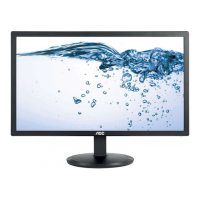
21.5" LCD monitor AOC E2270SWHN


Questions and Answers

  • C
    Connor GarciaJul 30, 2025
    How to troubleshoot no power on my AOC E2270SWHN Monitor?
    • D
      Deborah WrightJul 30, 2025
      If your AOC Monitor has no power, start by ensuring the power cable is securely tightened. Then, check that the power switch is turned on. Verify if the LED indicator is working correctly. If problems persist, consider replacing the converter board, main board, or keyboard, checking connections each time.
  • C
    Christopher RayAug 6, 2025
    What to do if my AOC E2270SWHN has power but no video?
    • M
      Melvin NelsonAug 6, 2025
      If your AOC Monitor's power LED is blue but there's no video, first check if the power button functions correctly. If not, consider replacing the main board or the converter board. Also, examine the LVDS/FFC cable and panel, replacing them if necessary. Finally, check or replace the keyboard.
  • S
    Sarah WilliamsAug 14, 2025
    Why is the color not optimal on my AOC E2270SWHN?
    • R
      Robert VegaAug 14, 2025
      If the color on your AOC Monitor isn't optimal, begin by adjusting the color settings in the user mode until you are satisfied. If that doesn't work, disconnect the signal cable to see if the screen color displays normally. As a last resort, try replacing the signal cable or PC, or the main board.
  • D
    danielfloresAug 21, 2025
    How to fix a dim screen on my AOC Monitor?
    • N
      nancyjoyceAug 21, 2025
      If your AOC Monitor screen is dim, first try resetting it to factory mode. Next, set the monitor to the optimal or recommended frequency. Readjust the phase and pixel clock in the user mode. Disconnect the signal cable to check if the 'Self Test Feature Check' is OK. If the issue persists, consider replacing the main board or the panel.

AOC E2270SWHN Specifications

General IconGeneral
3DNo
Panel typeTN
Pixel pitch0.248 x 0.248 mm
Aspect ratio16:9
Screen shapeFlat
Backlight typeW-LED
Display surfaceMatt
Pixel frequency108 MHz
Display diagonal21.5 \
Surface hardness3H
Display technology-
Vertical scan range50 - 76 Hz
Maximum refresh rate60 Hz
Horizontal scan range30 - 83 kHz
Supported video modes1080p
Viewable size, vertical268.11 mm
Viewing angle, vertical65 °
Contrast ratio (dynamic)20000000:1
Contrast ratio (typical)700:1
Display number of colors16.7 million colors
Display brightness (peak)- cd/m²
Display diagonal (metric)54.61 cm
Viewable size, horizontal476.64 mm
Viewing angle, horizontal90 °
Display brightness (typical)200 cd/m²
Supported graphics resolutions1920 x 1080 (HD 1080)
CertificationTrue
Product colorBlack
Heavy metals freeHg (mercury)
Market positioningHome
Tilt angle range-5 - 15 °
Cable lock slot typeKensington
Panel mounting interface100 x 100 mm
On Screen Display (OSD) languagesCHI (SIMPL), CHI (TR), CRO, CZE, DEU, DUT, ENG, ESP, FIN, FRE, ITA, JPN, KOR, POL, POR, RUS, SWE, TUR, UKR
Exterior finish typeTextured
Recyclable packaging material100 %
Mean time between failures (MTBF)50000 h
AC input voltage100 - 240 V
AC input frequency50 - 60 Hz
Energy efficiency scaleA to G
Power consumption (standby)0.5 W
Power consumption (typical)19 W
HDMI version1.4
DisplayPorts quantity0
Headphone connectivity3.5 mm
Package typeBox
Package depth108 mm
Package width558 mm
Package height394 mm
Package weight3450 g
VGA cable length1.2 m
Cables includedAC, HDMI, VGA
HDMI cable length1.5 m
Sustainability certificatesRoHS, EPEAT Silver, ENERGY STAR
Harmonized System (HS) code85285210
Weight and Dimensions IconWeight and Dimensions
Height (with stand)375 mm
Weight (with stand)2700 g
Depth (without stand)48 mm
Width (without stand)503.37 mm
Height (without stand)311.1 mm
Weight (without stand)- g

Related product manuals