EasyManua.ls Logo

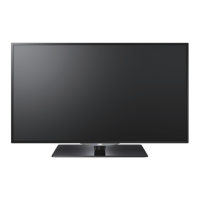
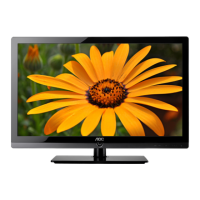
AOC LE32D3350 - User Manual

AOC LE32D3350
46 pages
Go to English
Print Icon
To Next Page IconTo Next Page
Loading...
1
English
LCD TV with LED backlight
User Manual
TV LCD con retroiluminación LED
Manual del usuario
LE32D3350
LE40D3350
LE50D3350
www.aoc.com
2014 AOC. All Rights Reserved.
HIGH-DEFINITION MULTIMEDIA INTERFACE
TM

Table of Contents

Questions and Answers

  • J
    Jeremy GarciaSep 8, 2025
    Why can't my AOC LCD TV receive any channels?
    • D
      David RichmondSep 8, 2025
      If your AOC LCD TV cannot receive any channels, ensure the power cord is securely connected and the TV is turned on. Check the antenna/cable connections and make sure the Cable setting is correct for your TV signal source.
  • C
    Christopher MoranSep 10, 2025
    Why does my AOC LCD TV keep turning off?
    • M
      Miss Michelle WoodsSep 10, 2025
      If your AOC LCD TV turns off unexpectedly, check if the Sleep Timer is activated or confirm the Duration setting of the Timer automatically. Also, check PC Power Management in General Settings.
  • A
    Amy BurgessSep 12, 2025
    What to do if my AOC LCD TV cannot receive or select channels?
    • A
      Alicia RobertsSep 12, 2025
      To receive or select cable channels on your AOC LCD TV, ensure that Cable in the Channel settings is set to On. To receive or select UHF channels over an antenna, make sure Cable is set to Off. If channels are not present, perform Auto Program to add receivable channels to the TV’s memory.
  • G
    gregharrisonSep 14, 2025
    What to do if my AOC LCD TV is locked to one channel?
    • R
      richardsonheatherSep 14, 2025
      If your AOC LCD TV is locked to one channel, perform Auto Program to add receivable channels that are not present in the TV’s memory.
  • S
    Sarah LeblancSep 15, 2025
    Why does my AOC LCD TV lose detail during fast-motion scenes?
    • A
      Alan CoxSep 15, 2025
      If your AOC LCD TV shows a loss of detail during fast-motion or dark scenes from DVD or digital sources, it's due to the digital compression of the source content. This can cause the screen to display less detail or show artifacts like small blocks or dots.
  • C
    Chad TaylorSep 18, 2025
    What to do if there is no picture from some video sources on my AOC LCD TV?
    • L
      Lisa HarrisSep 18, 2025
      If you're not getting a picture from some video sources on your AOC LCD TV, check the connection between the video equipment and the TV. Press INPUT on the remote control and select the desired input from the External Inputs list.

Summary

Important Information

Safety Instructions

Essential safety guidelines for operating the TV.

Usage Instructions

Installation and Placement

Guidance on setting up the TV, including placement and mounting.

AC Power Cable Safety

Instructions for safely connecting and using the AC power cord.

Safety Precautions

Screen Care and Electrical Hazards

Handling the screen, electric shock, and environmental risks.

Equipment and Maintenance

Optional Equipment, Accessories, and Antennas

Using external devices, accessories, and antenna installation.

Cleaning and Magnetic Influence

TV cleaning procedures and magnetic field warnings.

Operational Guidelines

Sound, Carrying, and Ventilation

Adjusting sound, moving the TV, ensuring airflow, and preventing overheating.

Moisture and Fire Prevention

Precautions against liquid damage, moisture, and fire hazards.

Servicing and Warnings

Servicing, Replacement Parts, and Safety Checks

Guidance on TV repair, replacement parts, and safety checks.

Mobile Phone Warning and Disposal

Keeping phones away and environmentally friendly TV disposal.

Connections

Input Port Descriptions

Detailed explanation of various input connectors like HDMI, PC, USB.

Joystick Control Functions

Explanation of the TV's integrated joystick navigation.

Remote Control Usage

Remote Button Functions

Detailed explanation of each button on the remote control.

Set-Up Procedures

Remote Battery and Base Assembly

Installing remote batteries and assembling the TV stand.

Wall-Mounting Installation

Guidance on securely mounting the TV to a wall.

Connecting External Sources

Antenna;Cable and HDMI Connections

Connecting broadcast sources and high-definition devices via HDMI.

Analog Video Connections

Connecting analog video sources like component and composite.

PC Connectivity

PC Input Configuration

Connecting and configuring a PC to the TV using VGA or HDMI.

Signal Compatibility Charts

PC and DVI;HDMI Signal Reference

Compatible PC resolutions and frequencies for various inputs.

Video Input Signal Reference

Compatible video formats for HDMI and component inputs.

Using the AOC TV

Initial Setup and Tuning

Guide to initial TV setup, language selection, and channel tuning.

Switching Input Sources

How to select different input signals for connected devices.

Menu Navigation and Picture Settings

Main Menu Overview

Introduction to the main menu structure and options.

Picture Menu Adjustments

Adjusting video quality settings like brightness, contrast, and color.

Sound and TV Menu Options

Sound Menu Configurations

Configuring audio output, sound modes, and volume settings.

TV Menu Settings

Managing tuner settings, channel scanning, and audio modes.

System Settings

Setting Menu Customization

Customizing OSD language, time zone, HDMI mode, and captioning.

Parental and Media Controls

Parental Menu Setup

Setting up parental controls and blocking content.

USB Media Playback Guide

Using the USB port for playing media files like photos, music, and videos.

Troubleshooting Guide

Common Issues and Solutions

Step-by-step solutions for common TV problems like no picture or sound.

Technical Specifications

Model Specifications Overview

Detailed technical data including panel size, resolution, power, and dimensions.

AOC LE32D3350 Specifications

General IconGeneral
Screen Size32 inches
Display TypeLCD
Resolution1366 x 768
Aspect Ratio16:9
Brightness250 cd/m²
Contrast Ratio1000:1
HDMI Ports2
USB Ports1
BacklightLED
VGA Port1
Viewing Angle178°

Related product manuals