21
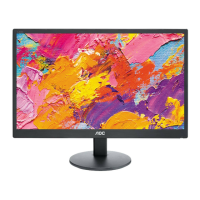
T2442e
PC Input Signal Reference Table
After connecting the PC to the TV with the VGA port, set the PC output signal according to the table below.
Default PC mode
Standard Resolution H. Sync. (kHz) V. Sync. (kHz)
VESA 640 x 480 31.469 59.940
VESA 800 x 600 37.879 60.317
VESA 1024 x 768 48.363 60.004
VESA 1360 x 768 47.720 59.799
WXGA+ 1400 x 900 59.887 55.935
WSXGA 1680 x 1050 59.884 64.674
FHD 1920 x 1080 60.000 67.500
HDMI Input Signal Reference Table
When connecting the PC to this TV with HDMI, set the PC output signal according to the table below.
Default HDMI mode
Standard Resolution H. Sync. (kHz) V. Sync. (kHz)
VESA 640 x 480 31.469 59.940
VESA 800 x 600 37.879 60.317
VESA 1024 x 768 48.363 60.004
VESA 1360 x 768 47.720 59.799
WXGA+ 1400 x 900 59.887 55.935
WSXGA 1680 x 1050 59.884 64.674
FHD 1920 x 1080 60.000 67.500
Video Input Signal Reference Table
1. After connecting video equipment to this TV with component video or HDMI, set the output signals of the video
equipment according to the table below.
2. If the graphic card of the PC supports video out, you can also set the PC output signals according to the table
below.
Default Component Video or HDMI mode
Standard Resolution H. Sync. (kHz) V. Sync. (kHz)
SD 720 x 480i 15.734 60
SD 720 x 480P 31.500 60
SD 720 x 576i 15.625 50
SD 720 x 576P 31.250 50
HD 1280 x 720P 37.500 50
HD 1280 x 720P 45.000 60
HD 1920 x 1080i 28.125 50
HD 1920 x 1080i 33.750 60
FHD 1920 x 1080P 56.300 50
FHD 1920 x 1080P 67.500 60
Video Components Supporting TV, Video and S-video
PAL D/K B/G I; NTSC M/N.
HD Interface
You can also play back traditional programs with a DVD player or VCR player by connecting these video
components to the TV from the video or S-video terminals on the side of the TV.



 To Next Page