EasyManua.ls Logo

AOC e2060Swd - User Manual

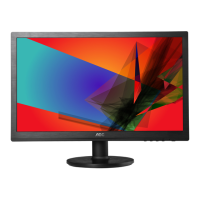
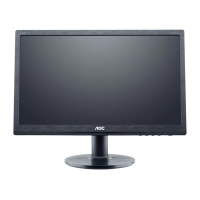
AOC e2060Swd
69 pages
Print Icon
To Next Page IconTo Next Page
Loading...
60S / 60P (LED Backlight)

Other manuals for AOC e2060Swd

Questions and Answers

  • B
    Brandon StevensonJul 26, 2025
    Why is there no video on my AOC e2060Swd Monitor (Power LED Blue)?
    • J
      Jonathan ClarkJul 26, 2025
      If your AOC Monitor's power LED is blue but there's no video, try the following: * Ensure the power button functions correctly. * Check or replace the LVDS/FFC cable or panel. * The main board, converter board, or keyboard may need replacement.
  • D
    Debra LambertAug 3, 2025
    What to do if my AOC Monitor has no power?
    • A
      Aaron VillarrealAug 3, 2025
      If your AOC Monitor isn't powering on, here are some things to try: 1. Ensure the power cable is securely tightened. 2. Turn on the power switch. 3. Verify the AC power source is working. 4. Consider replacing the converter board, main board, or keyboard, checking all connections in the process.
  • M
    Matthew JohnsonAug 10, 2025
    How to fix if the color is not optimal on my AOC e2060Swd?
    • M
      Mr. Corey ThomasAug 10, 2025
      To address suboptimal color on your AOC Monitor: * Adjust the color settings in the user mode until you are satisfied. * Disconnect the signal cable to see if the screen displays normal color without it. * Try replacing the signal cable or testing with a different PC. * If the issue persists, the main board may need to be replaced.
  • K
    Kenneth LucasAug 17, 2025
    How to fix a DIM display on AOC e2060Swd?
    • R
      Rebecca WallaceAug 17, 2025
      To resolve a dim display on your AOC Monitor: * Reset to factory mode. * Set to the optimal or recommended frequency. * Readjust the phase and pixel clock in the user mode. * Check "Self Test Feature Check". * If problems persist, the main board or panel may need to be replaced.

Summary

Safety

Power

Installation

Setup

Setup Stand & Base

Instructions for assembling and attaching the monitor stand and base.

Connecting the Monitor

Steps to connect video and power cables to the monitor and PC.

Adjusting Monitor Settings

Setting Optimal Resolution

How to configure the monitor's best display resolution for different OS.

Hotkeys

OSD Menu Settings

Luminance Settings

Adjusting brightness, contrast, and gamma settings via OSD.

Monitor Driver Installation

Windows 2000;ME Driver

Guide to install monitor drivers for Windows 2000 and ME.

Windows XP Driver

Guide to install monitor drivers for Windows XP.

Windows Vista Driver

Guide to install monitor drivers for Windows Vista.

Windows 7 Driver

Guide to install monitor drivers for Windows 7.

Windows 8 Driver

Guide to install monitor drivers for Windows 8.

Software Utilities

Troubleshooting

No Image Display

Troubleshooting steps when the monitor displays no image.

Picture Quality Problems

Addressing fuzzy pictures, ghosting, flickering, or color defects.

Product Specifications

General Specifications

Detailed technical specifications for various AOC monitor models.

Service and Warranty

AOC e2060Swd Specifications

General IconGeneral
Colorblack
Tiltableyes
Touch Screenno
OS Compatibilitymac, windows
Screen Size19.5 inches
Aspect Ratio16:9
Resolution1600 x 900
Refresh Rate60hz
Response Time5 milliseconds
Brightness200 candela per square meter
Contrast Ratio20, 000, 000:1
Horizontal Scan Rate83 kilohertz
Built-In Speakersno
Power Consumption25 watts
Width with Stand18.8 inches
Net Weight without Stand6.1 pounds

Related product manuals