EasyManua.ls Logo

AOC e2060Sda - User Manual

AOC e2060Sda
69 pages
Print Icon
To Next Page IconTo Next Page
Loading...
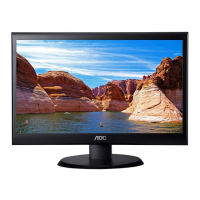
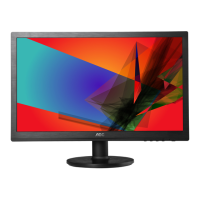
20" LCD Color Monitor AOC E2060SDA
Service
Service
Service
Horizontal Frequency
30-83 KHz
Table of Contents
Description Page Description Page
SAFETY NOTICE
ANY PERSON ATTEMPTING TO SERVICE THIS CHASSIS MUST FAMILIARIZE HIMSELF WITH THE CHASSIS
AND BE AWARE OF THE NECESSARY SAFETY PRECAUTIONS TO BE USED WHEN SERVICING
ELECTRONIC EQUIPMENT CONTAINING HIGH VOLTAGES.
Table of Contents.......……..............................……........1
Revision List.…........................................…………........2
Important Safety Notice.……............................……......3
1.Monitor Specification..............................………..........4
2.LCD Monitor Description……………………………......5
3.Operation Instruction…………...............……..............6
3.1.General Instructions...........................…...................6
3.2.Hot Keys…………….…..............……...............6
3.3.OSD Setting…………….…...........................…......7
4.Input/Output Specification............……………............23
4.1.Input Signal Connector............………….................23
4.2.Factory Preset Display Modes…….........................24
4.3.Panel Specification.....………...…………................25
5.Block Diagram…….........………….................28
6.Schematic……………........................................29
CAUTION: USE A SEPARATE ISOLATION TRANSFOMER FOR THIS UNIT WHEN SERVICING
6.1.Main Board………...........................................29
6.2.Key Board...…….............................................35
6.3.Power Board...……........................................36
7.PCB Layout..………….......................................39
7.1.Main Board………...........................................39
7.2.Key Board…………….....................................41
7.3.Power Board...…….........................................42
7.4. Power Board...……........................................44
8.Maintainability……….........................................45
8.1.Equipments and Tools Requirement...............45
8.2.Trouble Shooting………….............................46
9.White-Balance, Luminance Adjustment.............50
10.Monitor Exploded View………..…….…............52
11.BOM List…………………………………...........53

Other manuals for AOC e2060Sda

Questions and Answers

  • A
    Amanda HollandAug 12, 2025
    What to do if AOC e2060Sda has no power?
    • N
      Nicole MorrisAug 12, 2025
      If your AOC monitor isn't powering on, try these steps: First, ensure the power cable is securely plugged in. Then, check that the power switch is in the “On” position. If the problem persists, consider replacing the main board and checking the connections, or replacing the keyboard and checking connections.
  • A
    Amy GutierrezAug 16, 2025
    Why is my AOC Monitor screen DIM?
    • K
      kaitlyncannonAug 16, 2025
      A dim display on your AOC monitor can often be resolved by trying the following: First, reset the monitor to its factory settings. If that doesn't work, set the monitor to the optimal and recommended frequency. As well as, readjust the phase and pixel clock in the user mode. In some cases, replacing the main board or the panel may be necessary.
  • J
    Jeffrey MckenzieAug 19, 2025
    What to do if my AOC Monitor has no video but the power LED is white?
    • S
      Scott FosterAug 20, 2025
      If your AOC monitor shows no video but the power LED is white, try the following: * Ensure the power button functions correctly. * Consider replacing the main board. * Inspect the LVDS/FFC cable or panel. * Replace the keyboard.
  • S
    Suzanne RobinsonAug 23, 2025
    How to troubleshoot no power on my AOC e2060Sda Monitor?
    • U
      ujohnsonAug 23, 2025
      If your AOC monitor has no power, here are some things to check: 1. Make sure the power cable is securely tightened. 2. Ensure the power switch is in the “On” position. 3. Verify the LED indicator is working correctly. 4. If not, consider replacing the main board and checking all connections. Also, replace the keyboard and check the connections.
  • V
    Virginia FergusonAug 27, 2025
    What to do if AOC e2060Sda has no video but power LED is white?
    • X
      xgomezAug 27, 2025
      If your AOC monitor's power LED is white but there's no video, the issue might be with the main board, LVDS/FFC cable, panel, or keyboard. Consider replacing the main board, or replacing the LVDS/FFC cable or panel. Also, replacing the keyboard might resolve the issue.
  • E
    Evan BenderAug 31, 2025
    How to fix AOC e2060Sda Monitor if color is not optimal?
    • S
      Shelley BowersAug 31, 2025
      If the color on your AOC monitor isn't optimal, you can try adjusting the color settings in the user mode until you achieve the desired result. If that doesn't work, consider replacing the signal cable or PC. Also, replacing the main board might resolve the issue.
  • N
    Nicole RandallSep 4, 2025
    Why is the color not optimal on my AOC Monitor?
    • N
      Nicholas BarrySep 4, 2025
      If the color on your AOC monitor is not optimal, try these steps: * Adjust the color settings in the user mode until you are satisfied. * Disconnect the signal cable to see if the screen color display is normal. * Consider replacing the signal cable or PC. * If problems persist, replace the main board.
  • H
    Heather LeonSep 7, 2025
    How to fix a dim, overlapping, or flickering image on my AOC e2060Sda?
    • S
      smithvictoriaSep 7, 2025
      If your AOC monitor image is dim, overlapping, out of focus, or flickering, try these solutions: * Reset to factory mode. * Set to the optimal or recommended frequency. * Readjust the phase and pixel clock in the user mode. * Check the signal cable and the PC. * Consider replacing the main board or the panel.

AOC e2060Sda Specifications

General IconGeneral
BrandAOC
Modele2060Sda
CategoryMonitor
LanguageEnglish

Related product manuals