Operation in M mode (Manual mode)
With the E4 set to M mode, the light output for groups A, B and C can be adjusted manually. By alternating
between TTL and M mode, you can test your way to the perfect light.
1. Press the A, B or C Group Button [4] to select the corresponding group, or to select all groups.
2. Use the Energy Buttons [3] to adjust the light output for the group. The adjustment (increase/decrease)
always starts from the current light output setting on the flashes and the adjustment value is momentarily
(approx. 3 seconds) shown in the ENERGY section on the Display [1].
3. Press the Model Button [9] to turn on/off the modeling light in the selected group(s).
4. Press the Head Button [7] to turn on/off the heads in the selected group(s) (if the heads in a group are
turned off, the light output energy value for that group will display “--”)。
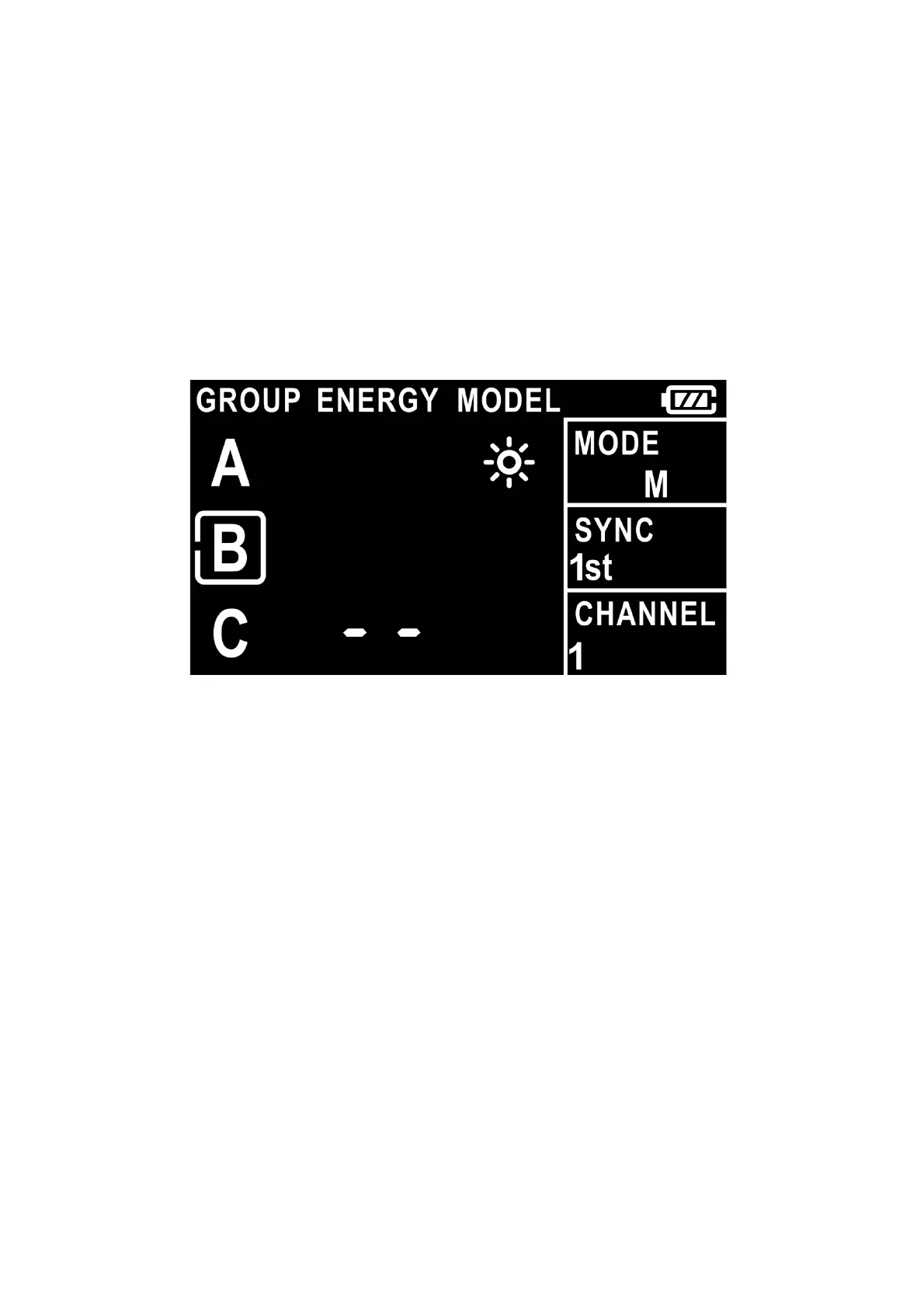
Example of E4 Display[1] settings in M mode operation
The corresponding settings of the display shown in the figure are:
- M mode, First-curtain synchronization (1st).
- Channel 1, Group B is selected to be adjusted.
- Flashes in Group C are turned off.
- If the light output for group A or B is adjusted, the energy change will be shown momentarily in the ENERGY
section on the Display [1].
- The modeling light is turned on in group A.
Precautions for use
The current energy adjustment value is only shown on the Display [1] momentarily and will disappear after
about 3 seconds.
When you adjust the energy again, the initial value starts again from +/- 0.1 (short press the Energy
Adjustment Button [3]) or from +/- 1.0 (long press the Energy Adjustment Button [3]).
When all groups are selected E4 will also control the flashes in group D, E or F (selected on flash).


 To Next Page