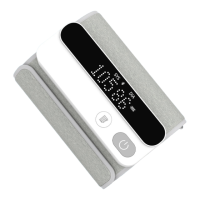
9. Preparation:Type-C Charging
10. Function Setting
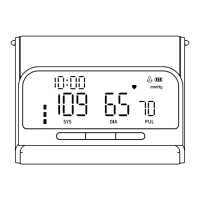
(1) To Select User
(2)Year/Month/Date Setting
Please check the device's power before using it. When the
battery runs out, please use the manufacturer-provided
Type-C Charging Cable to charge the device till the “ ”
indicator stops flashing.
In standby mode, press the " " button to enter the user
group selection interface. Then press the " " button again to
switch and select user groups.
In standby mode, press " " for about 3 seconds to enter
the date setting, and "year" will flash. Press " " to adjust to
the desired year, and then press " " to confirm the
selection. When the "year" is set, it will automatically enter
the month setting. At this time, the "month" icon will flash. You
can switch to the desired value by pressing the " "
button. Follow the same step to set "date", "hour", and
“minute”.
Systolic Blood
Pressure(mmHg)
Diastolic Blood
Pressure(mmHg)
Color of
Reading
Hierarchical
Relationship
≥160 ≥100 Red
Yellow
Green
Yellow
and (or)
and (or)
and (or)
and
90-99
60- 89
<60
140-159
90-139
<90
User 1
User 2
User 3 (Guest Mode)
5


 To Next Page
 Loading...