3-4. Power Adapter Replacement
1. Disconnect the power cable from the I/O panel.
4. Peripheral Installation
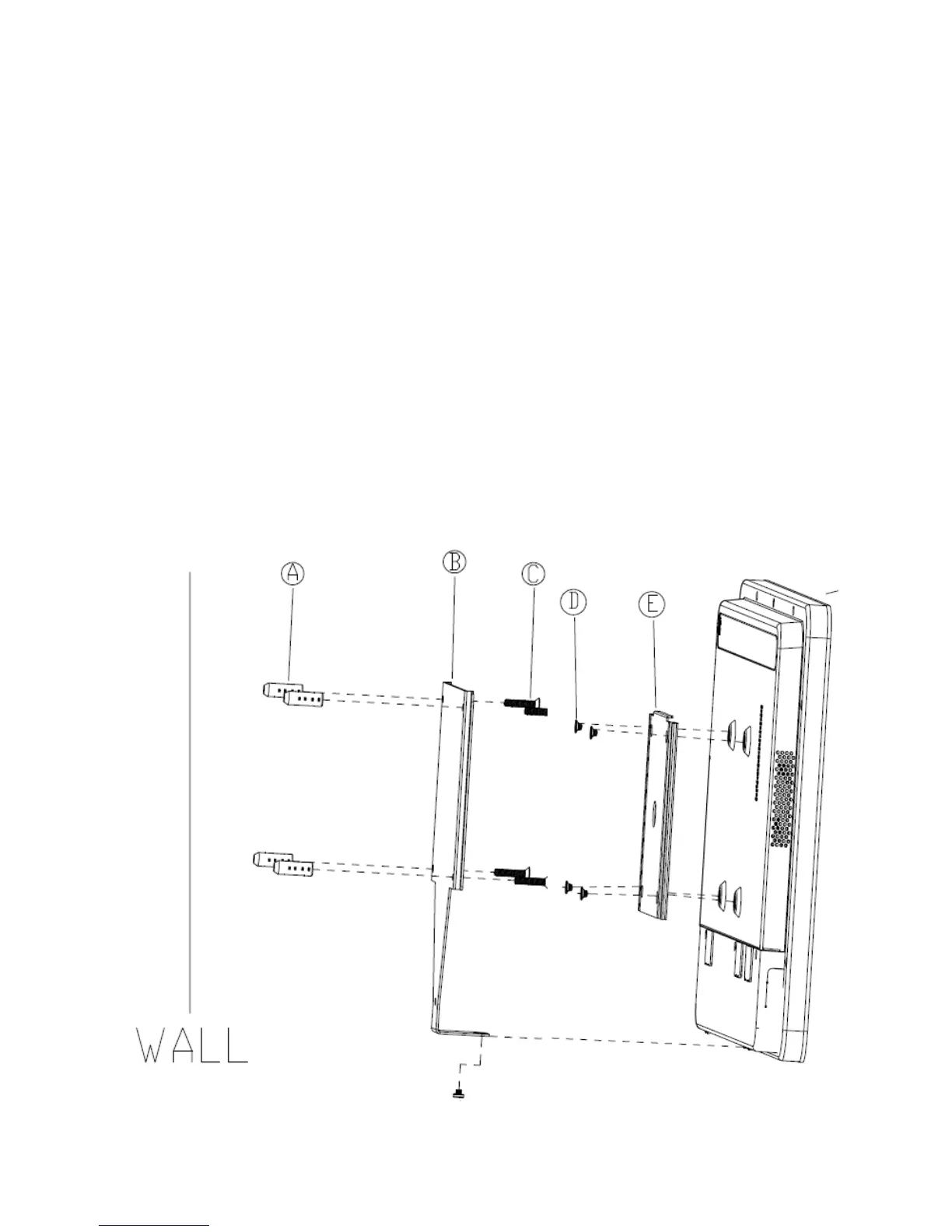
4-1. Wall Mount Kit Assembly
1. Fix the wall-mount bracket onto the wall.
2. Place the VESA bracket onto the VESA mounting holes on the system and fasten the
screws (x4).
3. Align the VESA bracket with the system into the wall-mount brakcet and make sure they
are well



 To Next Page