Anypos Point of Service
Powering the Anypos on and off
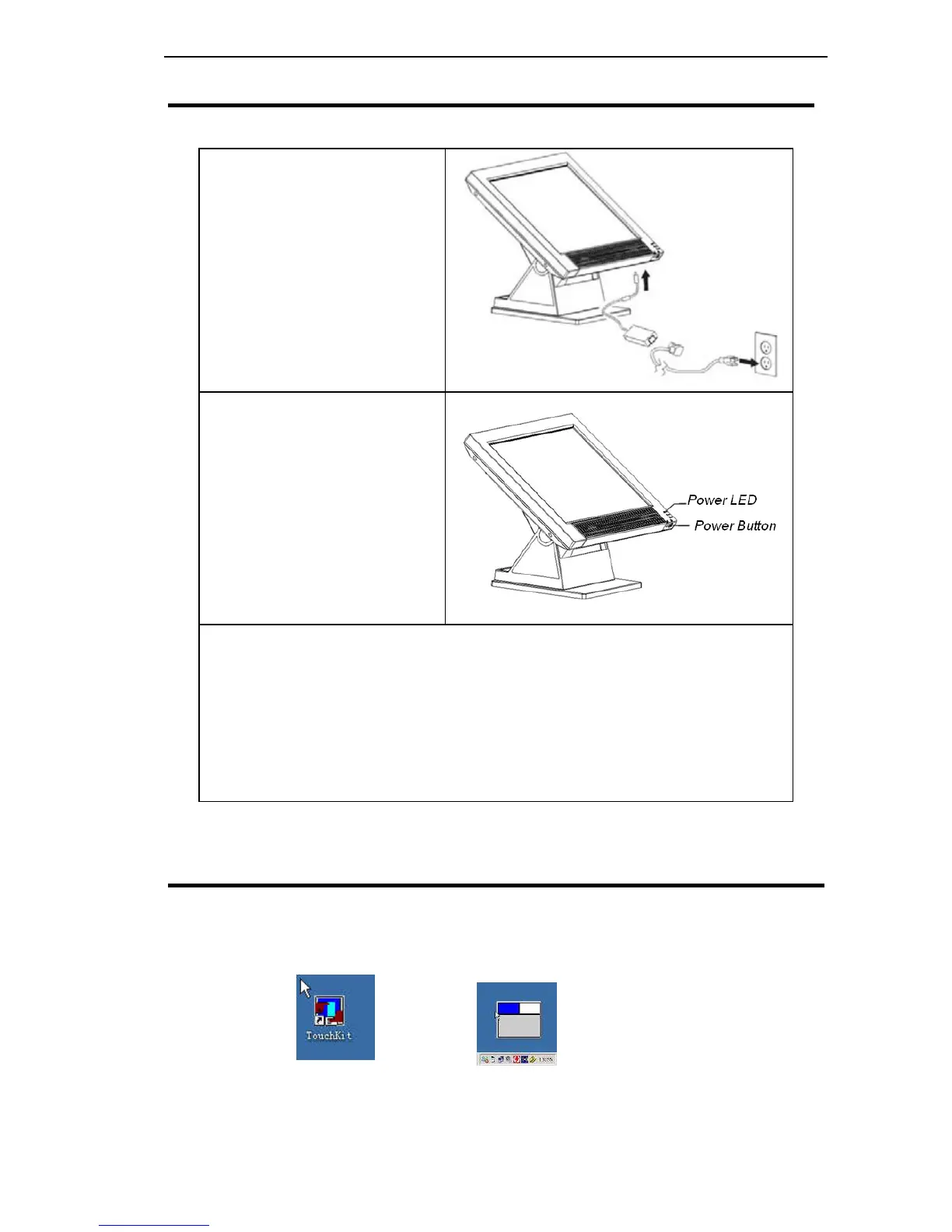
1、Connect the power
cable to an electrical
outlet ,on the Anypos ,
Connect the adapter to
the AC adapter connector
2、Press the power button
on the underside of the
display panel. The power
LED turns on
3、There are 2 ways to turn off the Anypos:
1) Click “Start” button, and then “Turn Off Computer”, next
“Close”;
2) Use the main power button to turn off the power, for example
if the operating system you are using does not support power
down by the OS or if the system crashes or hangs.
Recommended turning off: 1)
Setup the Touchscreen
The touchscreen must be calibrated before in use.
After successful installation of diver, the following icons will appear on
your desk.
6



 To Next Page