21
MENU
1
2
3
4
5
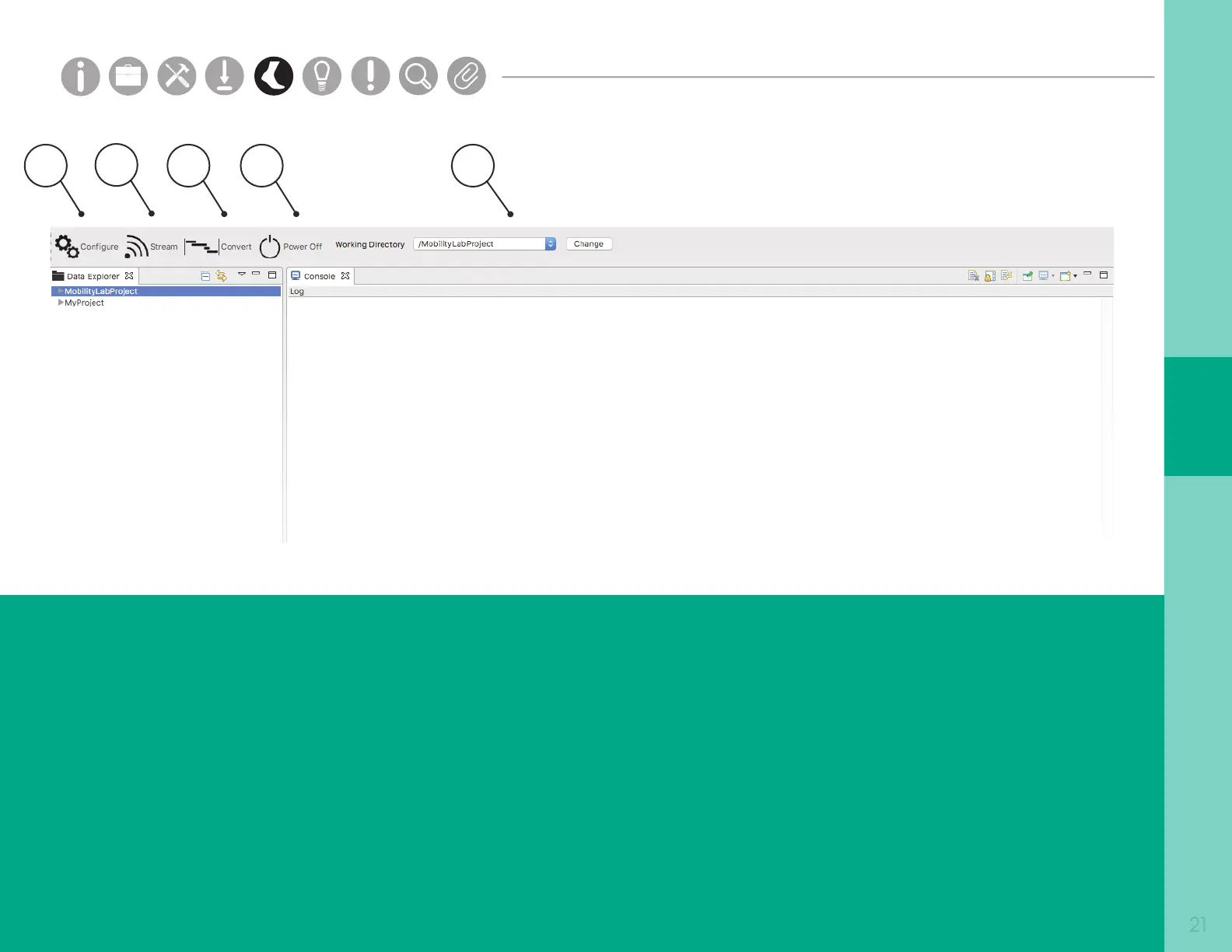
1. Congure
The Conguration panel allows you to select
your recording mode for logging or streaming
data. You can also select your wireless channel,
sample rate, and customize sensor labels and
button events.
2. Stream
The Stream button allows you to stream data
wirelessly from your sensors.
3. Convert
The Convert button allows you to convert and
merge logged recordings into an HDF format.
4. Power O Sensors
The Power O Sensors tab turns o any
docked sensors for storage.
5. Working Directory
The Working Directory shows the project and
folder that recorded data will be saved to.
Parts
Setup M.L. How to
M.L. Software Download Troubleshooting
Hardware Cong
Tech Stats/Info
Parts
Setup M.L. How to
M.L. Software Download Troubleshooting
Hardware Cong
Tech Stats/Info
Parts
Setup M.L. How to
M.L. Software Download Troubleshooting
Hardware Cong
Tech Stats/Info
Parts
Setup M.L. How to
M.L. Software Download Troubleshooting
Hardware Cong
Tech Stats/Info
Parts
Setup M.L. How to
M.L. Software Download Troubleshooting
Hardware Cong
Tech Stats/Info
Parts
Setup M.L. How to
M.L. Software Download Troubleshooting
Hardware Cong
Tech Stats/Info
Parts
Setup M.L. How to
M.L. Software Download Troubleshooting
Hardware Cong
Tech Stats/Info


 To Next Page
 Loading...