24
VIEWING YOUR DATA
1 2
3 4
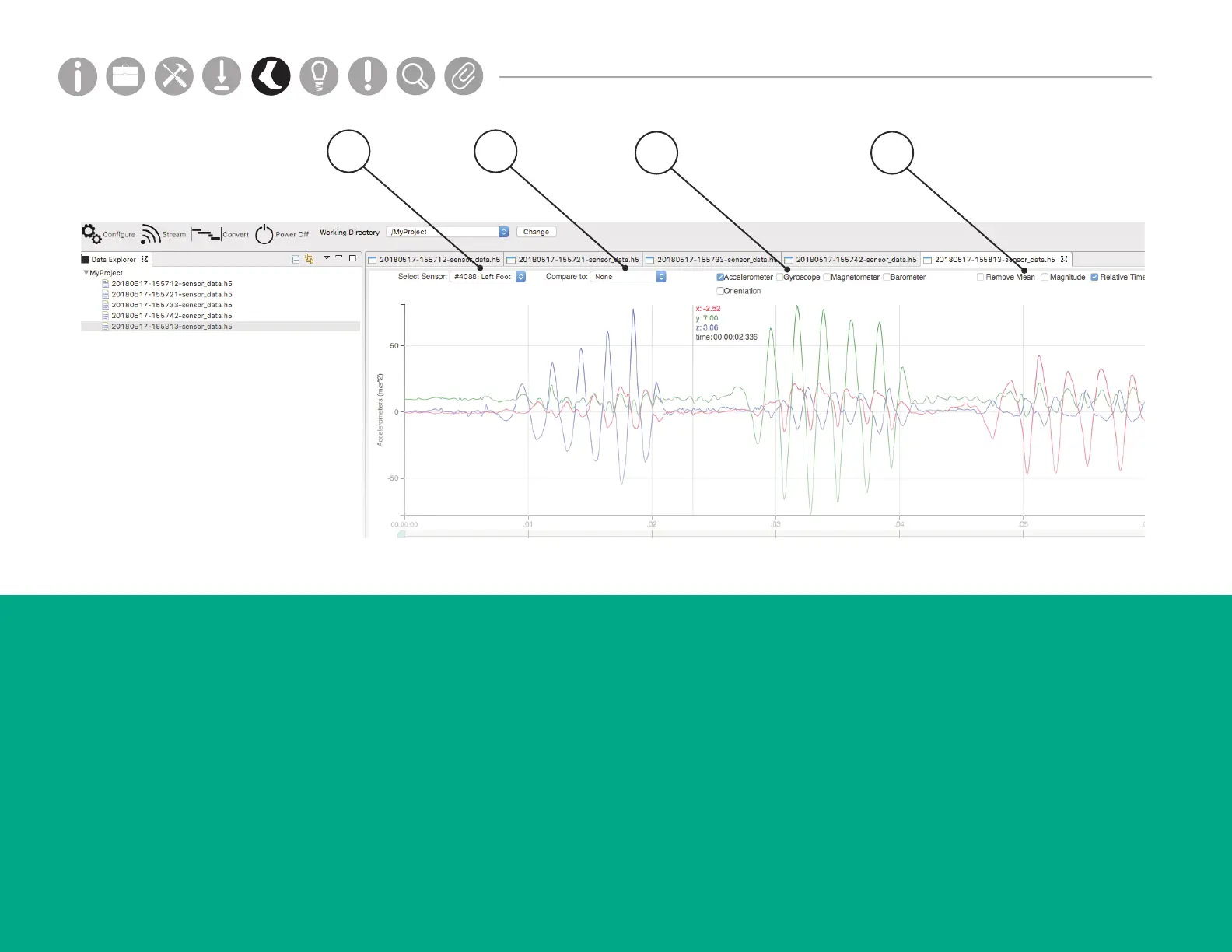
3. Component Selections
The Component Selections allow you to select
which sensor components to display below.
4. Other Selections
Use the Other Selections to Remove Mean,
show Magnitude, and Reset Zoom. Click and drag
with your mouse or use the time scrubbing bar
below to select a zoom region on the x-axis. Use the
scroll wheel in your mouse to zoom the y-axis.
1. Select Sensor
The Select Sensor dropdown allows you to see
data from each sensor.
2. Compare To
The Compare To dropdown allows you to see
data from one sensor compared to another
sensor.
Parts
Setup M.L. How to
M.L. Software Download Troubleshooting
Hardware Cong
Tech Stats/Info
Parts
Setup M.L. How to
M.L. Software Download Troubleshooting
Hardware Cong
Tech Stats/Info
Parts
Setup M.L. How to
M.L. Software Download Troubleshooting
Hardware Cong
Tech Stats/Info
Parts
Setup M.L. How to
M.L. Software Download Troubleshooting
Hardware Cong
Tech Stats/Info
Parts
Setup M.L. How to
M.L. Software Download Troubleshooting
Hardware Cong
Tech Stats/Info
Parts
Setup M.L. How to
M.L. Software Download Troubleshooting
Hardware Cong
Tech Stats/Info
Parts
Setup M.L. How to
M.L. Software Download Troubleshooting
Hardware Cong
Tech Stats/Info


 To Next Page
 Loading...