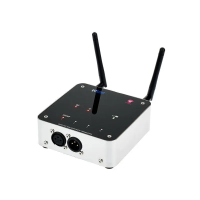
Ape Labs ApeRemote
Assignment of a Group
Each Ape Labs lighting fixture can be assigned to a specific
group (so certain fixtures can be controlled differently than
others in the same room).
› Immediately after turning the Ape Labs fixture on, the
current group setting of the fixture flashes on the remote
control. (Factory setting is group 1.)
› While the group LED is flashing, tap the Group Button
again to change groups. The selected group LED will
change as you tap the Group Button.
Note: The remote control switches to a power-save mode
after a few minutes and will not detect the power-on event
of the fixture. Press any key of remote control to stop the
power-save mode.
Using the Remote Control
› To select the group you’d like to control, tap the “Group”
button until the group LED is lit up. To control all groups
at once, press and hold the “Group” button until all four
group LEDs light up.
› Programs, brightness, speed and sound active mode can
be controlled by the corresponding keys (see figure).


 To Next Page
 Loading...