1
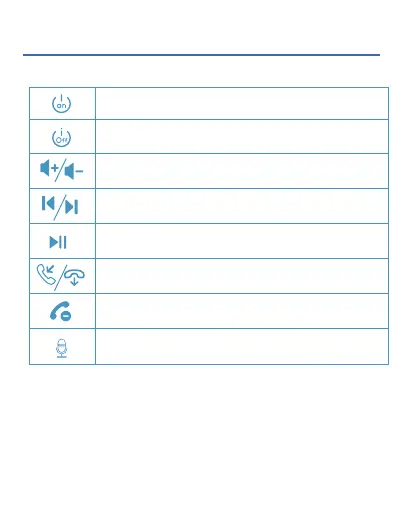
Control Function
Press and hold the MFB of either earbud for
3 secs to power on (blink blue light 3 times)
Press and hold the MFB of either earbud for
4 secs to power off (blink red light 3 times)
Triple click the MFB while playing music
Double click the MFB of either earbud while playing
music
Click the MFB of either earbud once
Click the MFB of either earbud once
Double click the MFB of either earbud when there is
an incoming call.
Press and hold the MFB of either earbud for 2 secs


 To Next Page