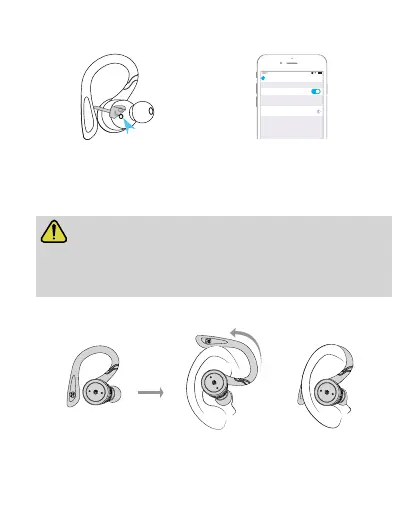
Note: When the earbuds cannot connect to your phone or cannot
connect back with the phone, please delete the previous connection
record in the phone list and turn off the wireless function, and then
power on the earbuds and pair with the device again.
●
Plug the earbud along
the ear canal into the ear.
●
Revolving the earbud till the end of
the ear hook is inserted behind the ear.
Verschleißmethode
2
How to pair earbuds with your phone
Remove the stickers
.
Put both earbuds back into the
charging case
.
BE1032
Bluetooth
Bluetooth
12:00
Settings
MY DEVICES
Connected
Step 2
Step 1 Step 3
Step 4
Take both earbuds out
from the charging case
.
Search and select
“BE1032”
.


 To Next Page