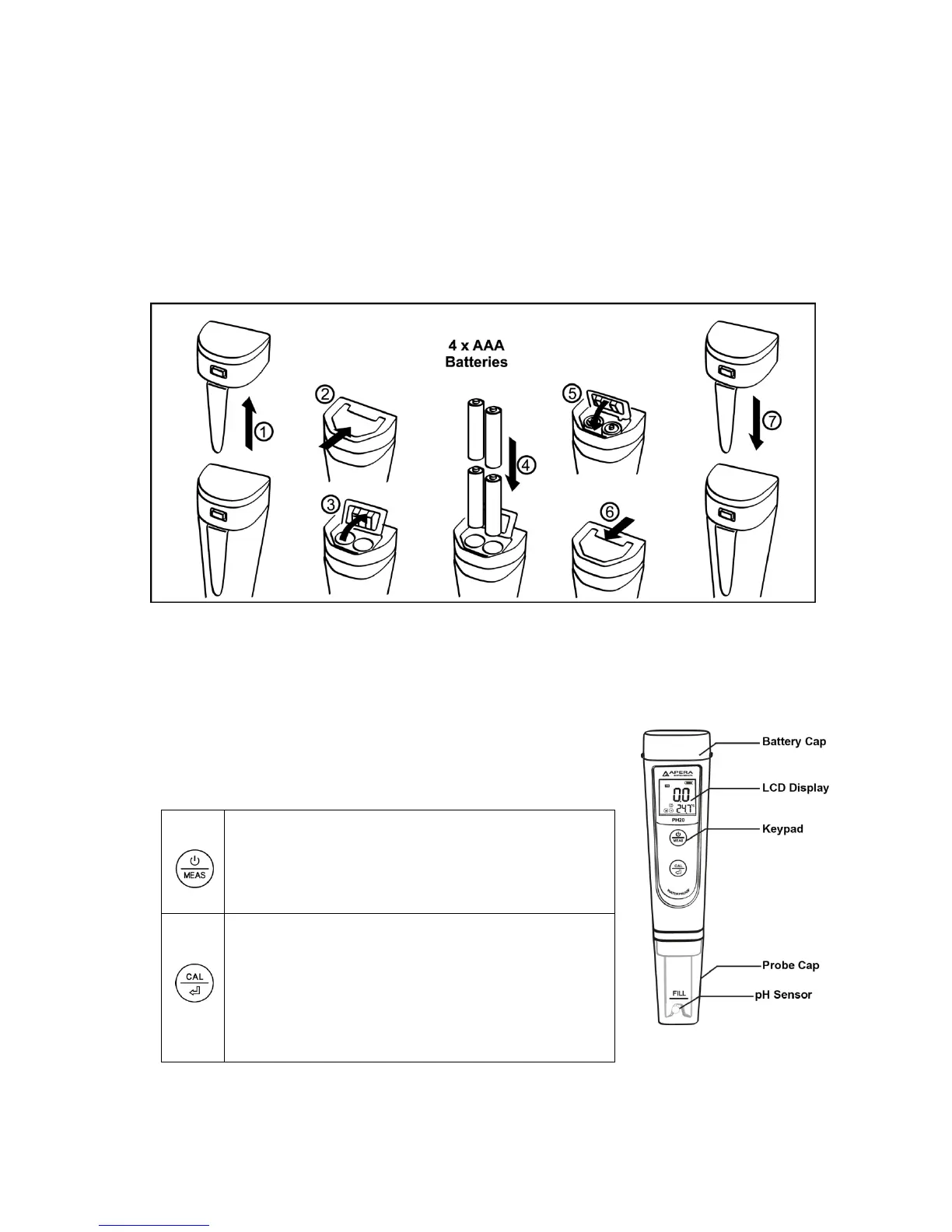
1. Battery Installation
Please install batteries according to the following steps. *Please note
direction of batteries: All POSITIVE SIDES (“+”) FACING UP.
(Wrong installation of batteries will cause damage to the tester
and potential hazards)
2. Keypad Functions
■Short press------- < 2 seconds
■Long press-------- > 2 seconds
1. Short press to turn on, long press to turn off;
2: When turned off, long press to enter setup;
3: In mode setting, short press to change
parameter;
1.When turned on, long press to enter calibration
mode.
2.In calibration mode, short press to confirm
calibration;
3.In mode setting, short press to confirm parameter
selection.



 To Next Page