uneM DVD
Customizing the DIGITAL SETUP Settings
latigiD eht gnizimotsuC
sgnitteS puteS
32
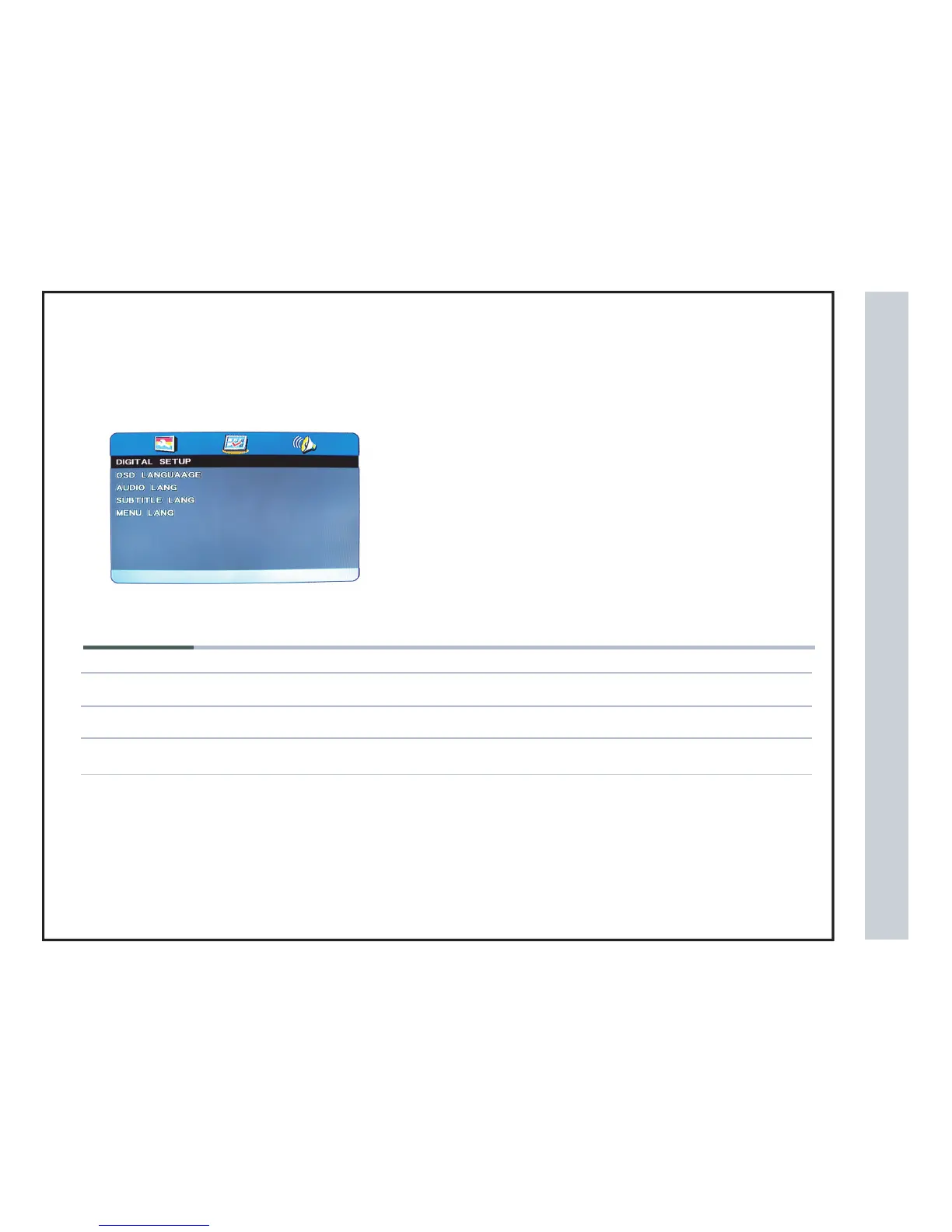
The DIGITAL SETUP menu includes the following options :
OSD Language
Audio Lang Audio Language.
Subtitle Lang
You can choose the OSD Language.
You can choose the Subtitle Language .
Menu Lang
You can choose the Menu Language .
You can choose the
P button to enter setup menu
1.Use the Left and Right buttons select DIGITAL SETUP option.
Press
2.Use the Up and Down buttons to highlight an individual DIGITAL SETUP option.
the SETU


 To Next Page