3. Input - After connecting your DVD, Cable Box, etc., select the
appropriate input source to view. Press the SOURCE button to display
input options. Press
buttons to highlight an input. Press ENTER
to select.
4. Menu
1. OPEN-To open and close the disc tray.
2. PLAY-Press PLAY button to play the disc.
- Press the MENU button to display and adjust your TV
settings. Press again to turn the OSD (on screen display) OFF. To
adjust settings from here, press
to navigate a highlighted
setting then press Enter to select and adjust.
5. Channel (CH+ /CH-)- Press the CH+ /CH- buttons to
select a channel in TV mode.
6. Volume (VOL+ / VOL-) - Press the VOL+ / VOL- buttons to
adjust volume up or down.
7. Power - Press the POWER button to turn the LCD display ON/
OFF (standby). When the power is on, the blue LED illuminates. The
screen image will appear within a few seconds.
I
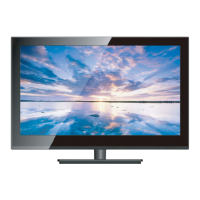
TV Overview
Front & Side Panel
8
INPUT SOURCE
INPUT SO
URCE
TV
AV
D
VD
V
GA
H
DMI 2
H
DMI 3
Component
HDMI 1
OPEN
PLAY
INPUT
MENU
CH+
CH-
VOL+
VOL-
POWER
1
2
3
4
5
6
7


 To Next Page
