EasyManua.ls Logo

APLIC 302093 - Bluetooth Connectivity; Connecting to Android and iOS Devices; Connecting to Windows PCs

APLIC 302093
Print Icon
To Next Page IconTo Next Page
To Previous Page IconTo Previous Page
Loading...
14 English
7. Establishing a Bluetooth connecon (Android and iOS)
First enable the Bluetooth feature on your Tablet PC or Smartphone, then turn on
the keyboard. Slide the power switch to the right. The Power LED on the keyboard


device is in pairing mode. Now perform a search on your Tablet PC or Smartphone
and connect to „aplic-302093“. Your device will display a security code. Enter this

was established successfully.
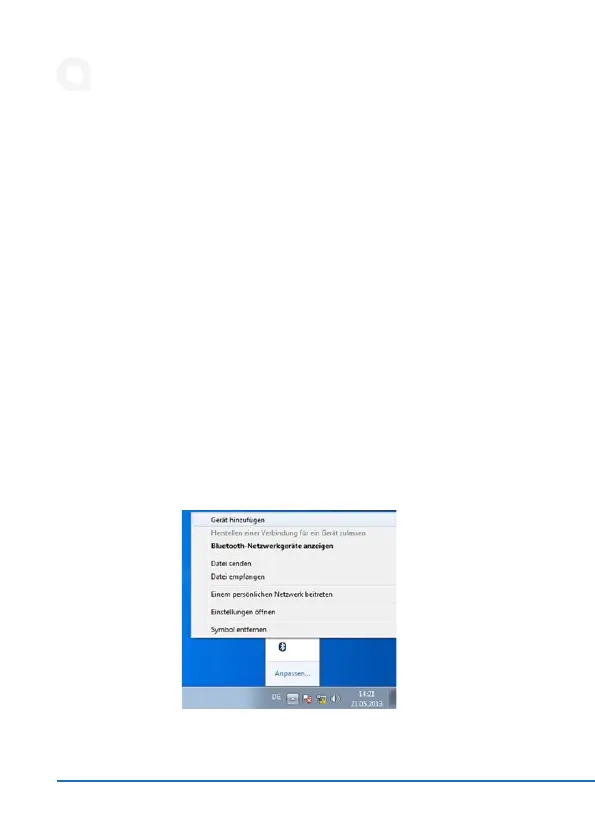
8. Establishing a Bluetooth connecon (Windows)
-
tooth icon in the taskbar and select the „Add Device“ menu item. Then switch on


the keyboard. As soon as the LED above the Bluetooth symbol on the keyboard

