5.4.4 The measurement menu
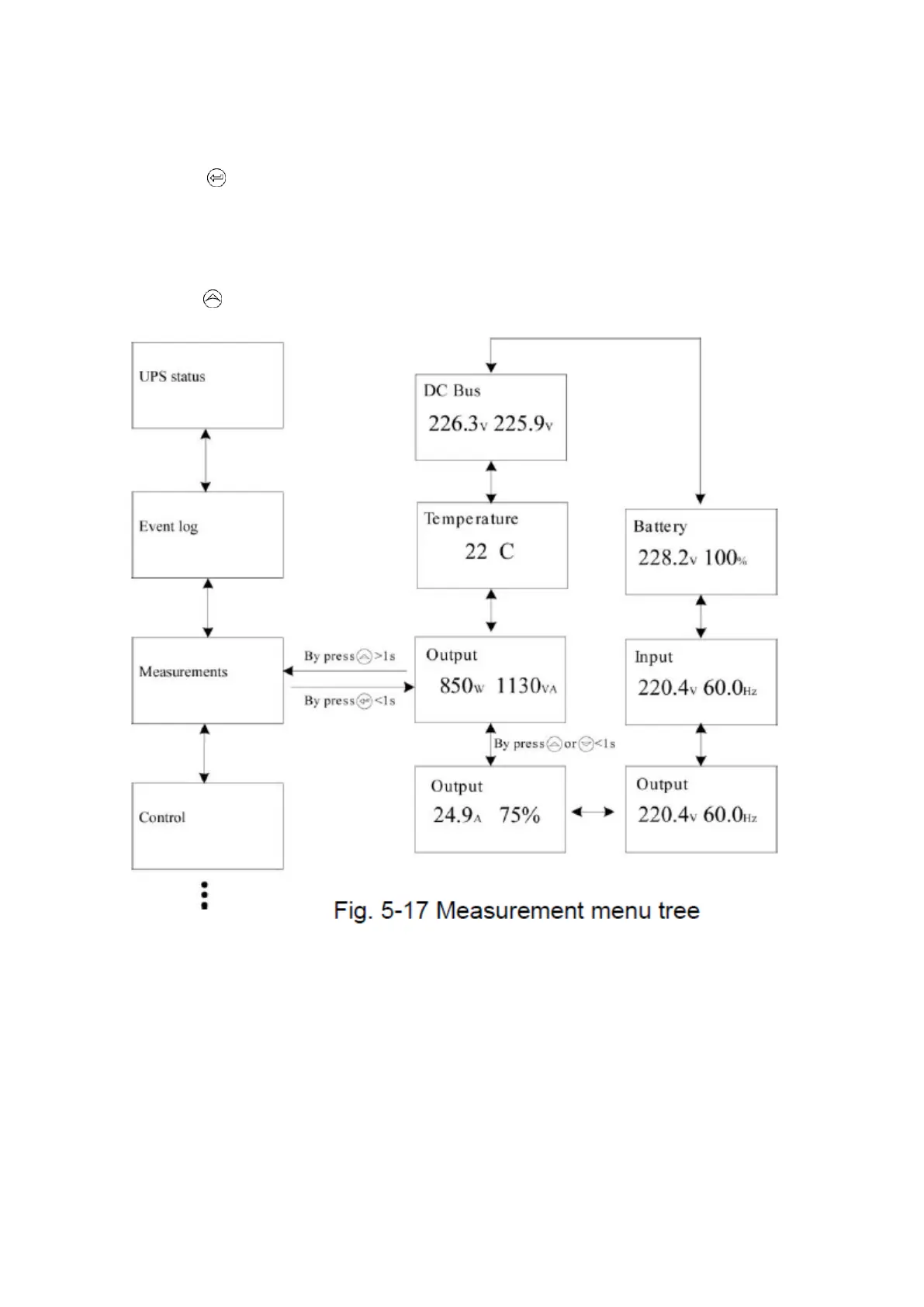
By pressing on the menu of “Measurement”, the display would enterthe next measurement
menu tree.
A lot of detailed useful information could be checked here, Ex. the output voltage and
frequency, the output current, the load capacity, the input voltage and frequency, etc.
By pressing >1s, the display would return the last main menu tree.



 To Next Page