APOGEE ELECTRONICS
4
BIG BEN – User’s Guide
APOGEE ELECTRONICS
5
BIG BEN – User’s Guide
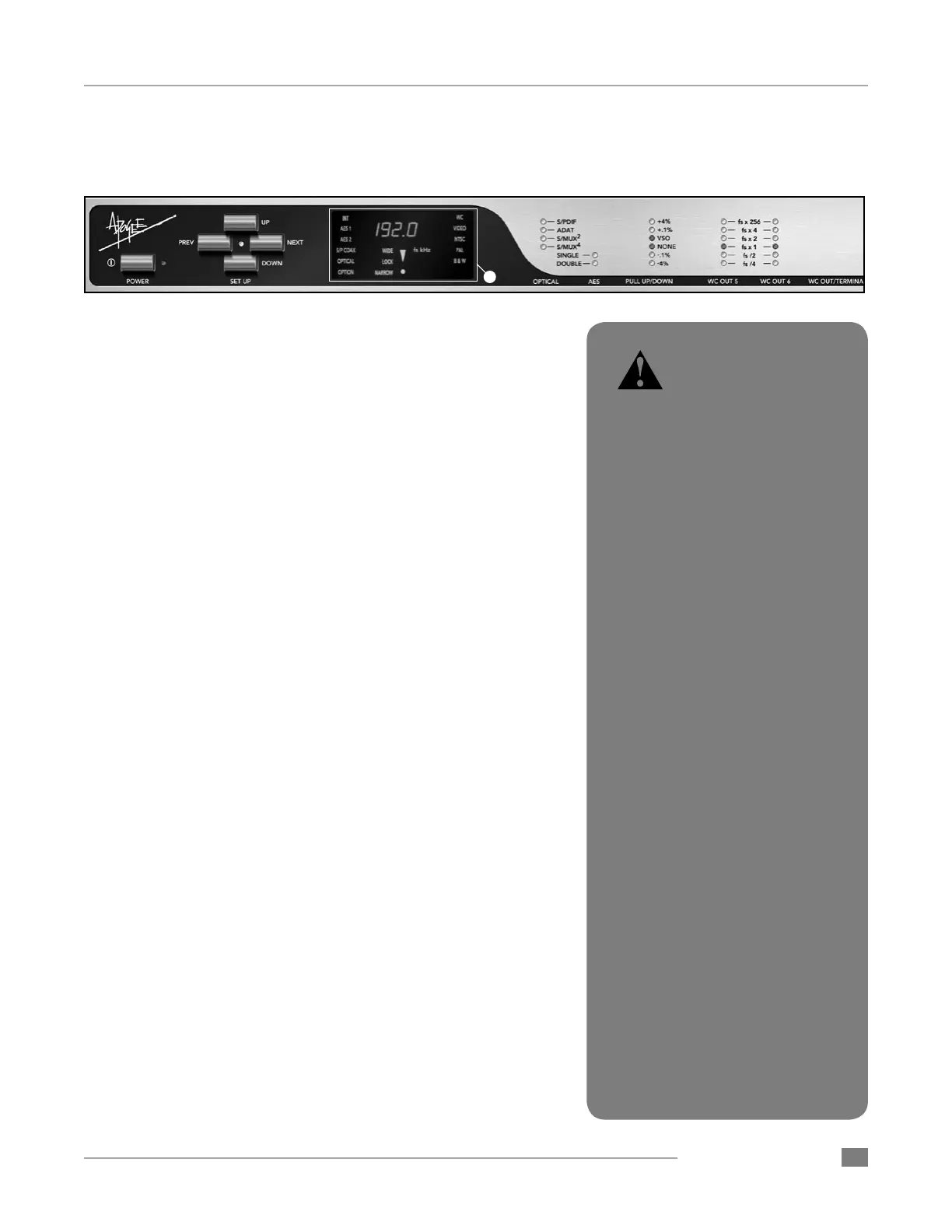
3) CLOCK /Digital Audio SOURCE – At it’s simplest, Big Ben
derives a reference clock frequency from an internal or external
source and generates several ultra low jitter clock outputs based on
this reference. The CLOCK SOURCE parameter selects the source
of the reference clock frequency. When a Clock Source is selected
which contains a digital audio signal, that signal is routed to all out-
puts capable of transmitting digital audio. The following sources are
available:
• INT – Big Ben’s clock outputs are derived from an internal clock
frequency generator. CLOCK SOURCE must be set to INTernal
to set the PULL UP/DOWN parameter to VSO,
• AES1 – clock and digital audio outputs are derived from the AES1
input. If AES is set to DOUBLE, both AES1 and AES2 will light.
• AES 2 – clock and digital audio outputs are derived from the
AES2 input.
• S/P COAX – clock and digital audio outputs are derived from the
S/PDIF coaxial input.
• OPTICAL - clock and digital audio outputs are derived from the
Optical input.
• OPTION - clock and digital audio outputs are derived from the
Option Card input. This selection is only available when an Op-
tion Card is installed.
• WC - clock outputs are derived from the Video/Word Clock input
when a valid word clock signal has been connected.
• VIDEO - clock outputs are derived from the Video/Word Clock
input when a valid video signal has been connected. The video
format (PAL,NTSC or B&W) will be automatically detected.
Navigating the Front Panel - continued
When video has been selected
as the clock source, allow Big
Ben approximately 30 seconds
to achieve the best lock.
3


 To Next Page