
 Need help?
Do you have a question about the Apollo Energy MaySun Series and is the answer not in the manual?
Crucial safety instructions for operation, installation, and handling to prevent injury and damage.
Inverter body acts as heat sink, can reach high temps; avoid touching to prevent burns.
Keep out of reach of children to prevent shock/burns; minors/mentally impaired prohibited.
Labeled diagram showing ports, indicators, buttons, and antenna of the micro inverter.
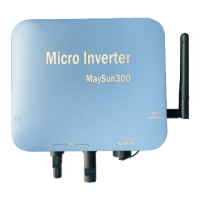
Images and model names for different power output ranges (300-500W, 600-1000W).
Items included in the package: micro inverter, mounting accessories, user manual, AC bus cable.
MPPT, independent MPPT, MC4 input, AC output, pure sine wave, anti-islanding, protections, IP65.
Diagram showing AC bus cable connections and color coding for left/right connections.
Detailed technical specifications for models MaySun 300 to 500W.
Detailed technical specifications for models MaySun 600 to 1000W.
Detailed technical specifications for models MaySun 1100 to 1500W.
Verify utility voltage matches inverter rating before installation.
Steps for attaching inverters to racking, connecting AC bus cables, and PV modules.
Double-check connections and turn on main AC circuit breaker for system operation.
Explains the meaning of green steady, red flash, and red steady LED lights on the micro inverter.
Schematic for connecting a 230VAC micro inverter to a 230V single-phase grid.
Schematic for connecting a 230VAC micro inverter to a 208/240V dual-phase grid.
Schematic for connecting a 230VAC micro inverter to a 380V triple-phase grid.
Schematic for connecting a 120VAC micro inverter to a 208/240V triple-phase grid.
Important pre-configuration steps: install inverter, use smart device, check WiFi, test connectivity.
Describes the initial setup phase involving button press and indicator light status.
Using the 'Smart Life' app to scan, add, and configure the micro inverter to the WiFi network.
Ensures smart device and micro inverter use the same WiFi network within 20m, with few obstructions.
Guide on adding devices, entering WiFi credentials, and confirming micro inverter addition.
Accessing detailed status data for the micro inverter after adding it to the app.
Instructions to rename the micro inverter within the 'Smart Life' app.
Steps to disconnect and optionally wipe data for a micro inverter from the app.
Process to share micro inverter monitoring access with other users via the app.
Explains the meanings of different WIFI LED flashing patterns for configuration and connection status.
Illustrates the communication path from micro inverter via Wi-Fi/LoRa to the cloud server and app.
Lists data points available for monitoring: energy generation, voltage, current, power, and temperature.
Addresses issues with the app not finding the micro inverter, WiFi changes, or offline status.
Covers configuring multiple inverters, using different WiFi signals, and accessing data remotely.
Answers questions about app data saving, monitoring via multiple devices, and night-time offline behavior.
Recommending cost-effective products, providing basic knowledge training, and developing system solutions.
Communicating delivery times and providing online installation guidance.
Includes a five-year warranty, free maintenance, lifetime paid services, and regular customer support.
 General
| Model | MaySun Series |
|---|---|
| Category | Inverter |
| Output Waveform | Pure Sine Wave |
| Type | Solar Inverter |
| Input Voltage | 12V / 24V / 48V DC |
| Output Voltage | 110V/220V |
| Protection Features | Overload, Over Voltage, Short Circuit |
| Efficiency | >90% |

 To Next Page