5
2 Set up and operate your T100 Mini-Mist Pro
®
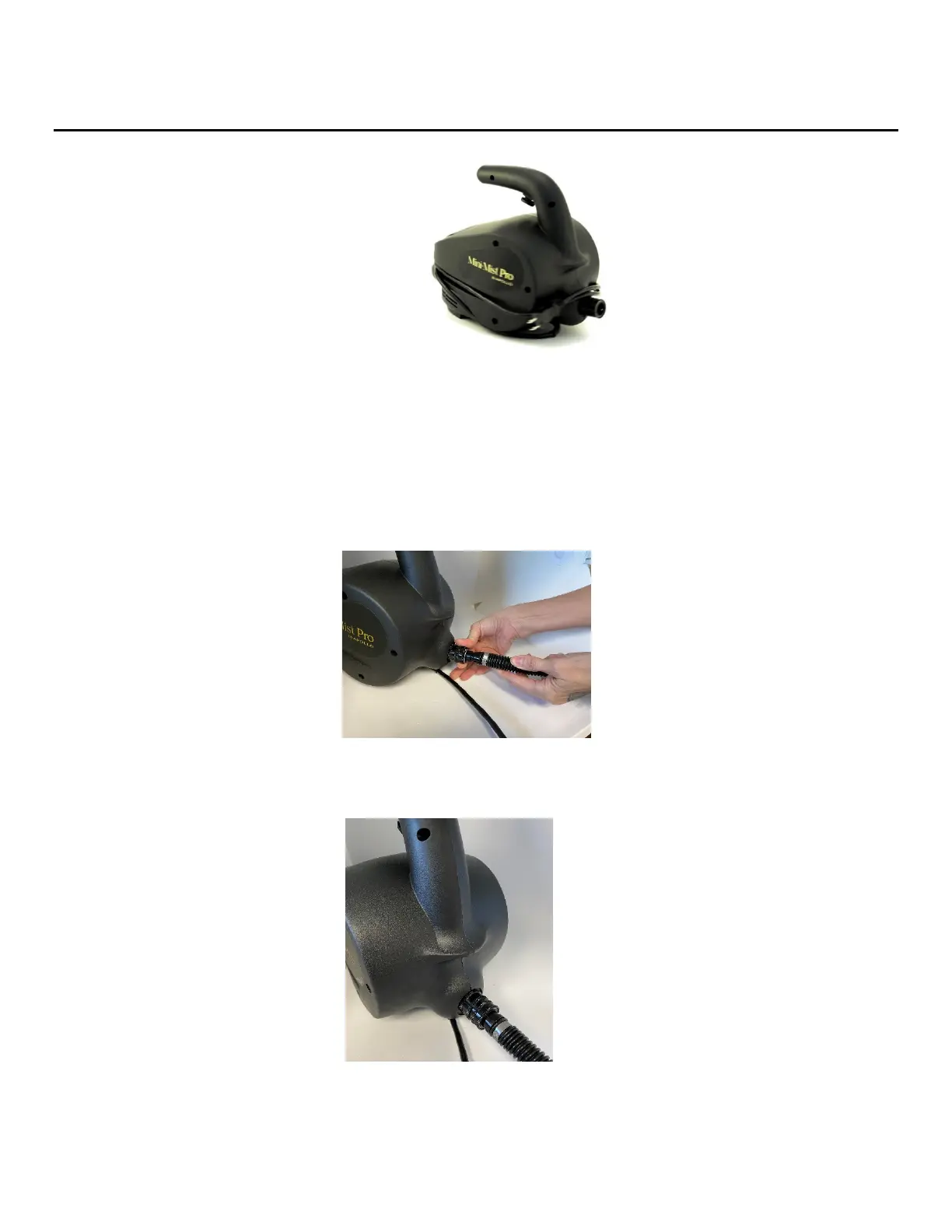
Tanning System:
1. Unwrap the cord from the machine.
2. Plug the T100 Mini-Mist Pro
®
tanning system unit into a proper electrical outlet. Make sure that the electric
current you are connecting to is the same as your unit. (110v or 220v). DO NOT attempt to connect the unit to the
wrong electric current as this will not only damage your unit but also void your warranty.
3. Next, locate the male end of the air hose and connect it to the female quick connect on the T100 Mini-Mist
Pro
®
tanning system.
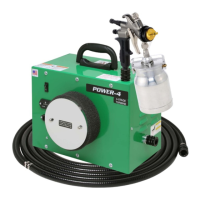
a. To insert the coupler pull back on the ring of the black coupler located on the Mini-Mist Pro
®
tanning system
and connect it to the male connector on the hose. Figure 6.
Fig. 6
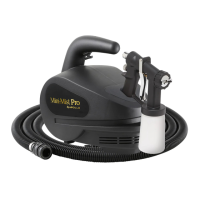
b. Release the ring to allow the coupler to snap into place. The hose should now be connected to the unit.
Figure 7.
Fig. 7
To remove the air hose, pull back on the ring of the black coupler and remove.


 To Next Page