EasyManua.ls Logo

Apollo SA5900-908 - User Manual

Apollo SA5900-908
2 pages
Print Icon
To Next Page IconTo Next Page
Loading...
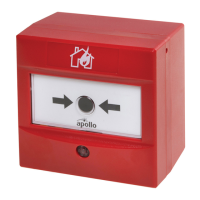
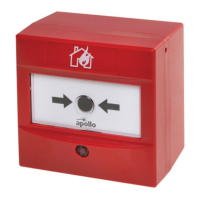
Intelligent Manual Call Point
Installation Guide
Technical Information
17-35V DC 100μA (24V supply voltage)
4.0mA (24V supply voltage)
-40°C to 70°C
IP44
Product Overview
Item Qty. Item Qty.
1. Head unit 1
6.
Fixing screws
(NOT SUPPLIED)
N/A
2. Connector block 1
3. Fixing screws 2 7. Backbox 1
4. Mounting bracket 1 8. Reset key 1
5. Earth Continuity Terminal 1 9. Continuity link 1
1
I
V
o
C
IP
2
6
0.6Nm
39214-996/Issue 3
I
9
3
58
Installation
0.6Nm
10
12
11
L- L+ L+ L-
+
-
+
-
4
0
1
ON
1
2
3
4
5
6
7 8
1
0
1
0
1
1
0 0
53
7
Part No Product Name Type
SA5900-908 Intelligent Manual Call Point Indoor
SA5900-928 Intelligent Marine Manual Call Point Indoor
SA5900-948 Intelligent Marine Manual Call Point (SIL Approved) Indoor
SA5900-903 Intelligent Manual Call Point (White) Indoor
SA5900-904 Intelligent Manual Call Point (Yellow) Indoor
SA5900-905 Intelligent Manual Call Point (Blue) Indoor
SA5900-906 Intelligent Manual Call Point (Green) Indoor
SA5900-907 Intelligent Manual Call Point (Orange) Indoor
Do not over tighten screws
Note the alignment marks
The 8th segment must be in set to “0”
for Discovery or XP95 operation
Question and Answer IconNeed help?

Do you have a question about the Apollo SA5900-908 and is the answer not in the manual?

Summary

Intelligent Manual Call Point Installation

Installation Steps

Illustrated steps for installing the Intelligent Manual Call Point, including torque recommendations.

Technical Specifications

Key technical details including voltage, current draw, temperature range, and IP rating.

Product Components Overview

List of parts included with the Intelligent Manual Call Point.

Address Setting and Operation

Address Setting Examples

Demonstrates how to set the address for the call point using DIP switches.

Removal Procedure

Illustrated guide for safely removing the call point from its mounting.

Testing Procedure

Illustrated guide for testing the functionality of the call point.

LED Indicator Status

Explanation of the LED colors and patterns indicating call point status.

Commissioning and Troubleshooting

Notes on installation compliance, common faults, and system wiring checks.

Apollo SA5900-908 Specifications

General IconGeneral
Operating Temperature-10°C to +55°C
Quiescent Current50 μA
Humidity0% to 95% RH
TypeOptical Smoke
Current Consumption (standby)50 μA
Relative Humidity0% to 95% RH (non-condensing)
StandardsEN54-7

Related product manuals