32 Chapter 2 Getting to Know Remote Desktop
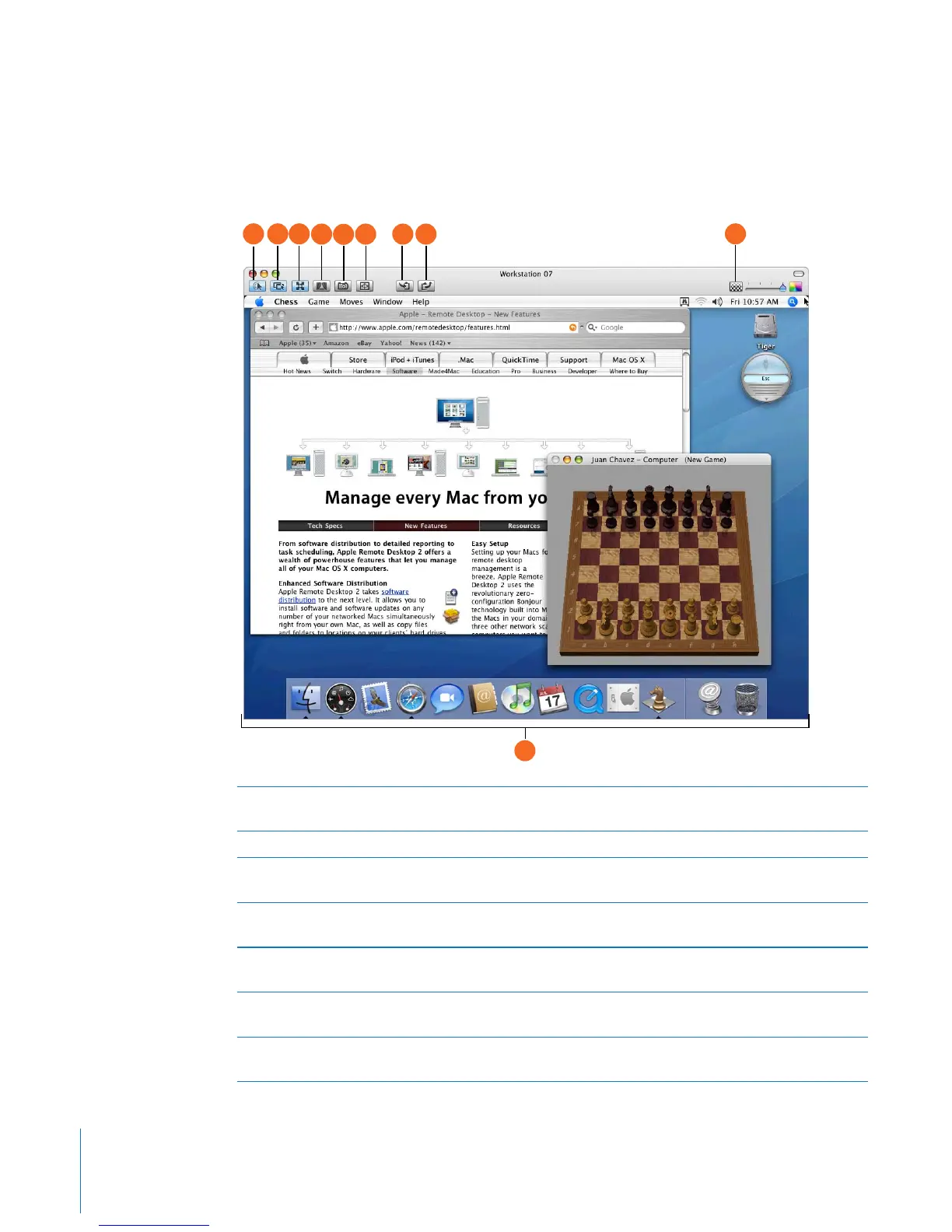
Control and Observe Window
This window is the same for both controlling and observing a single client. The only
difference is the state of the Observe or Control toggle button. When it’s selected, you
have control over the remote client.
A Observe or control toggle: When this button is selected, you have control over the remote
client.
B Share mouse control: When this button is selected, you share mouse control with the user.
C Fit screen in window: When this button is selected, the remote client is scaled to the Control
window size.
D Lock computer screen for control: When this button is selected, the remote client screen
shows a lock, and your view allows you to view the client desktop normally.
E Capture screen to file: When this button is clicked, the remote client screen is saved to a local
file at the selected image quality.
F Fit screen to full display: When this button is selected, your display doesn’t show your
computer desktop, only that of the remote computer, at full possible resolution.
G Get clipboard from client: When this button is clicked, the contents of the remote client
Clipboard are transferred to the local Clipboard.
A
B C
D
E
H
F G
J
I



 To Next Page