Apple Cinema Display 22" (ADC) Take Apart -
5
Rear Cover
Procedure
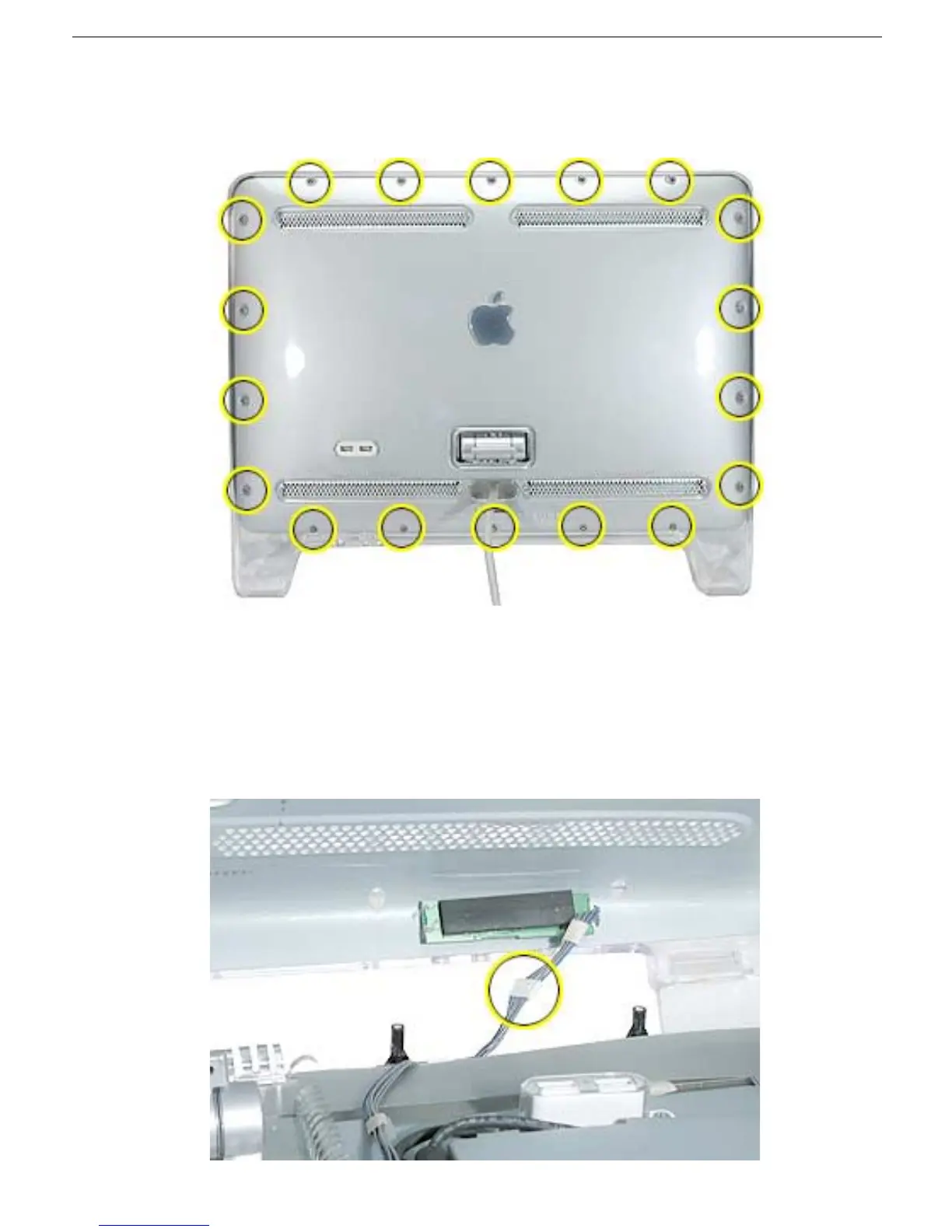
1. Remove eighteen hex screws on the rear cover.
2. Lift the rear cover slightly and disconnect the power/brightness switch cable
connector, shown below. Carefully pull the ADC cable through the rear cover.
Note:
The power/brightness switch board is permanently attached to the rear cover
and cannot be removed.
Replacement Note:
Verify that the clear plastic USB cover is in place over the USB
socket, and that the USB icon arrows point up.



 To Next Page