26 - Apple Cinema Display (20-inch) Take Apart
Bezel
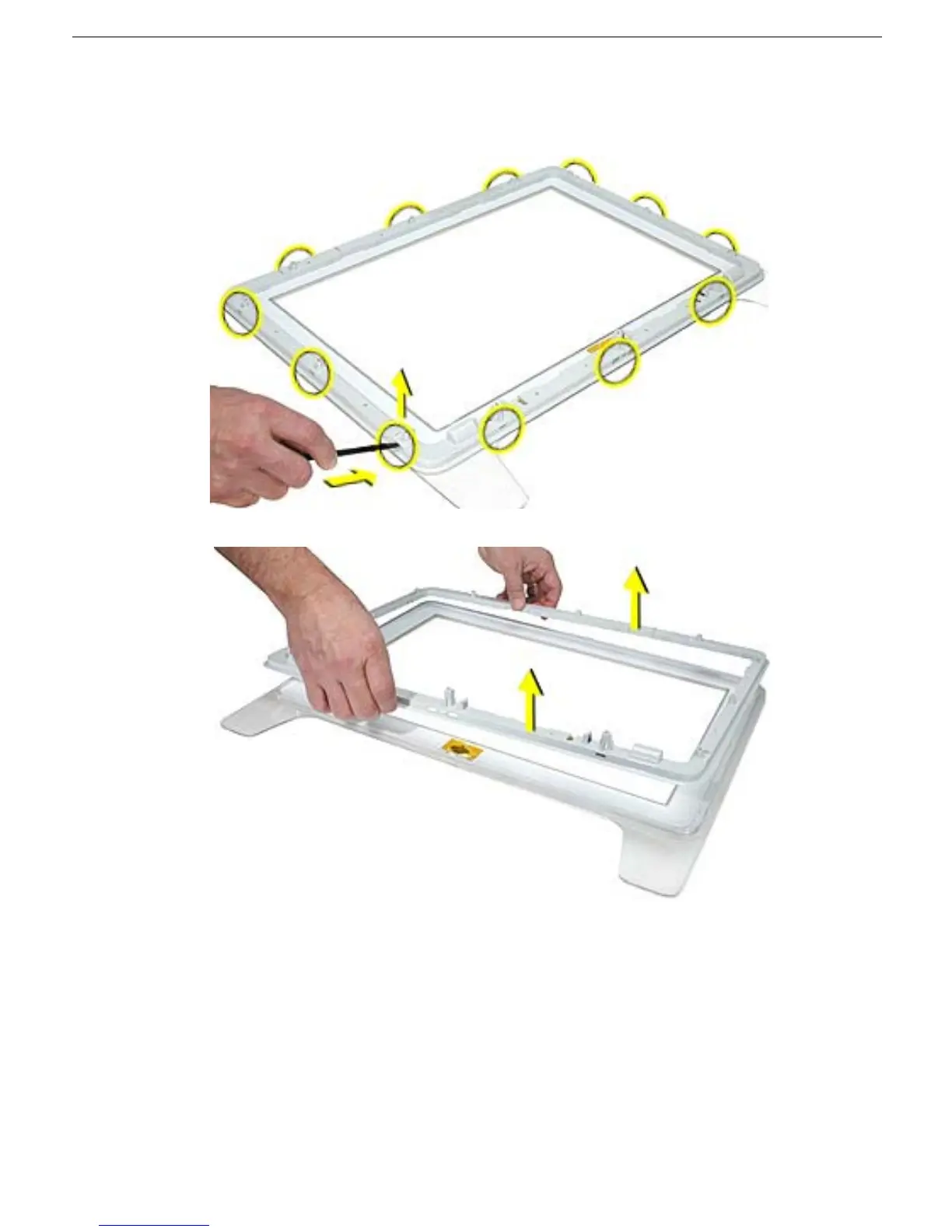
6. To remove the inner bezel from the bezel, start at a corner and lift up on the inner
bezel while using a black stick to push in and disengage the bezel clips through the
rectangular slots, shown.
7. Lift off the inner bezel.



 To Next Page