Cinema HD Display (23-inch DVI) Take Apart - 41
Top Stabilizer Bar
Procedure
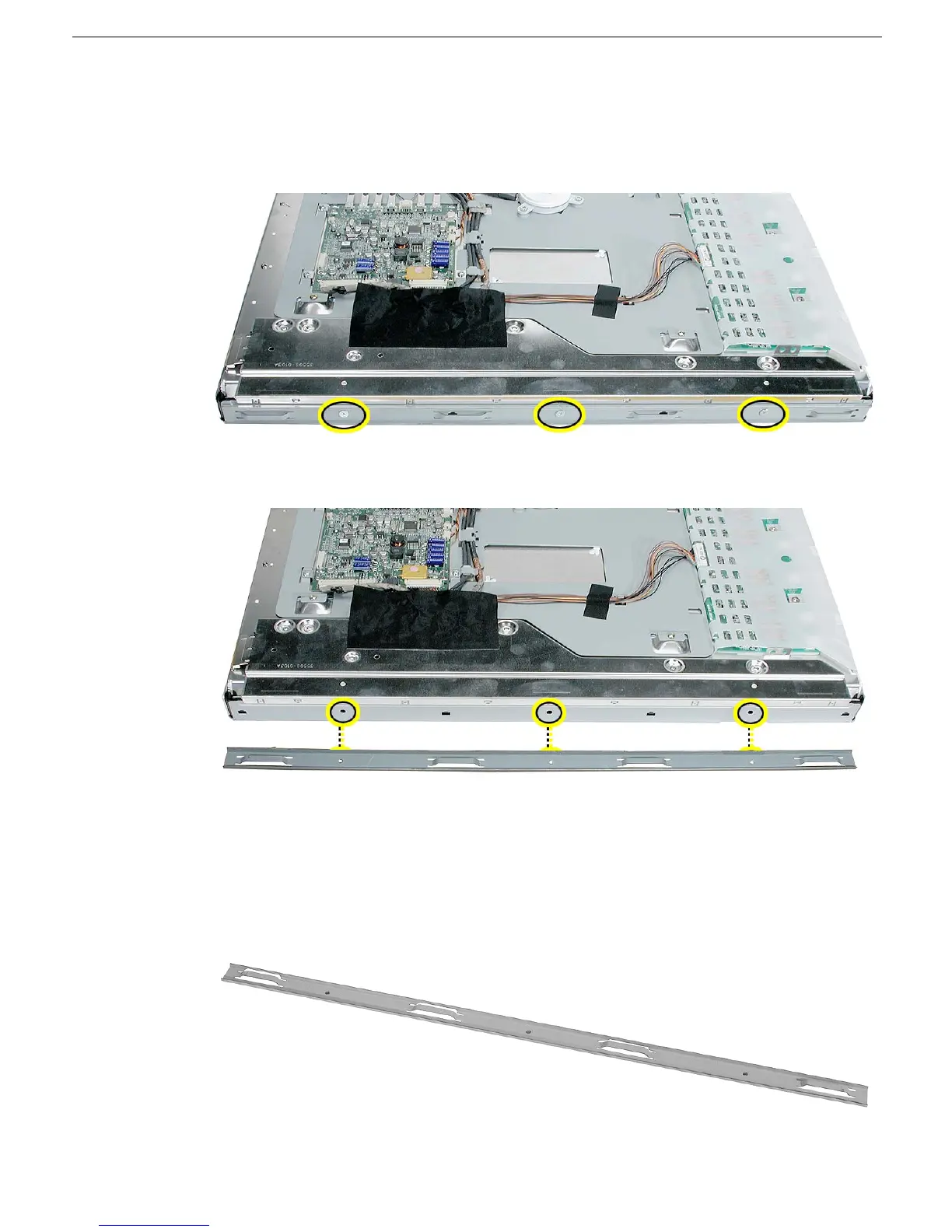
1. With the display face down on an ESD mat or soft cloth, remove the three screws from
the top stabilizer bar.
2. Lift up the stabilizer bar from the LCD panel.
3. Install the replacement top stabilizer bar, and reassemble and test the display.
Replacement Note: When replacing the stabilizer bar, make sure it is not installed
upside down. The raised, cut-metal edge should face out; the flat edge is installed flat
against the top edge of the LCD panel.



 To Next Page