Cinema HD Display (23-inch DVI) Take Apart - 55
Inverter Board
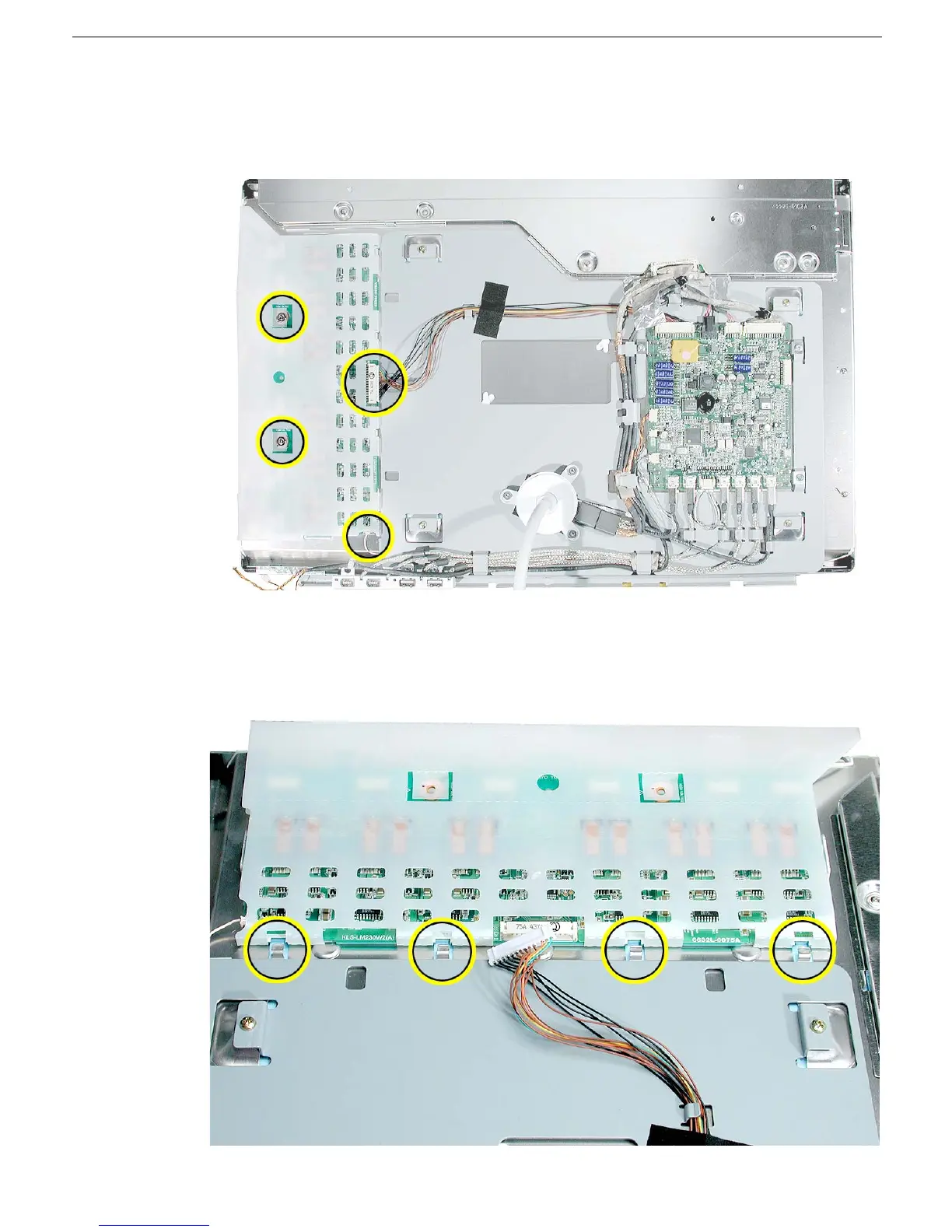
4. Remove the two screws and disconnect the two cables:
• larger inverter cable at CN1 on the right side of the board
• small ground cable at the lower right corner of the board
5. Slide the inverter board away from the chassis tabs, and lift it off the LCD panel.
Important: Handle the board by the edges only. Do not put pressure on the
components.



 To Next Page