70 - Cinema HD Display (23-inch DVI) Take Apart
LCD Panel
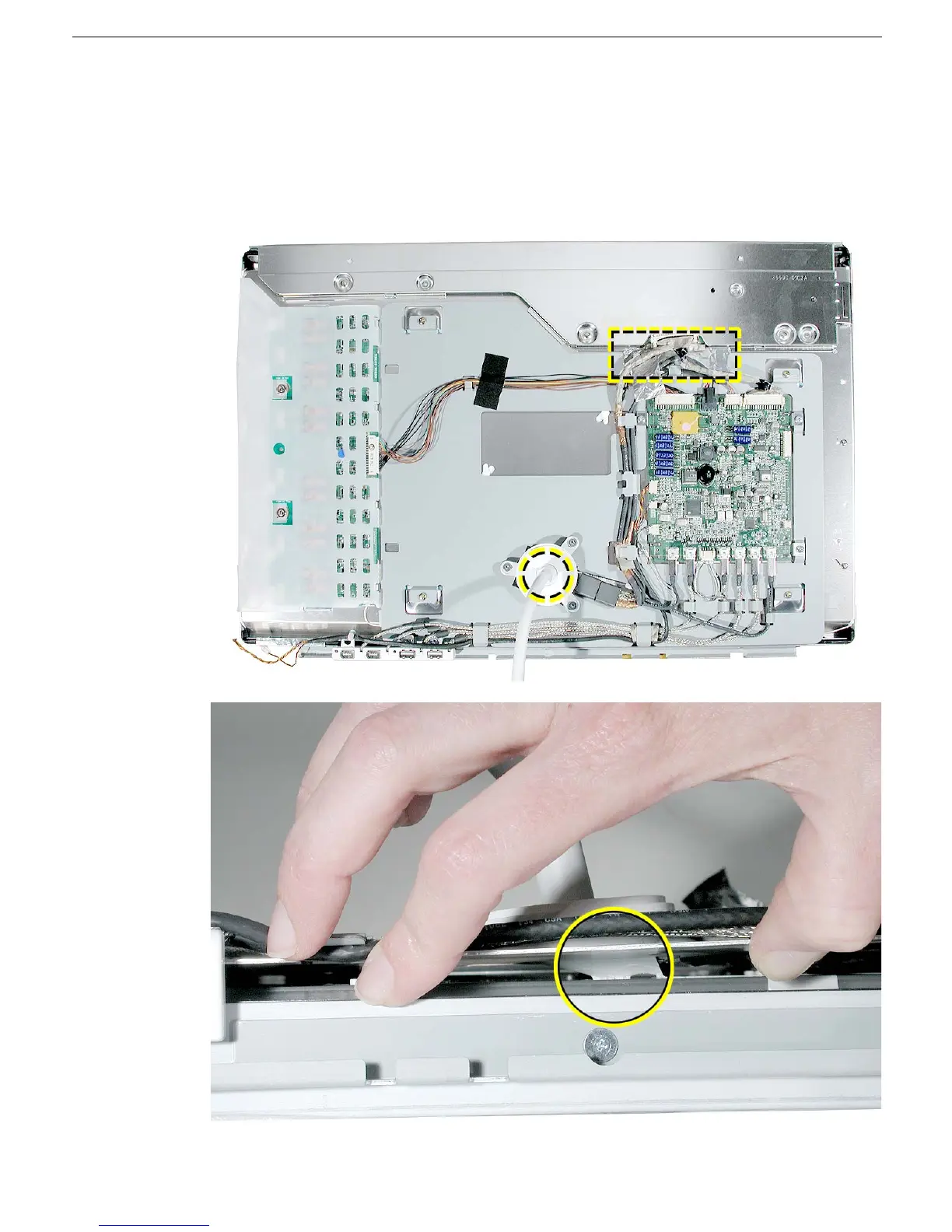
6. Note: The chassis is secured to the LCD panel with tape at two places:
• underside of the chassis at the display/power cable
• under the TMDS connector gasket
Tilt up the bottom of the chassis and use a black stick to loosen the adhesive just
under the display/power cable.



 To Next Page