3English
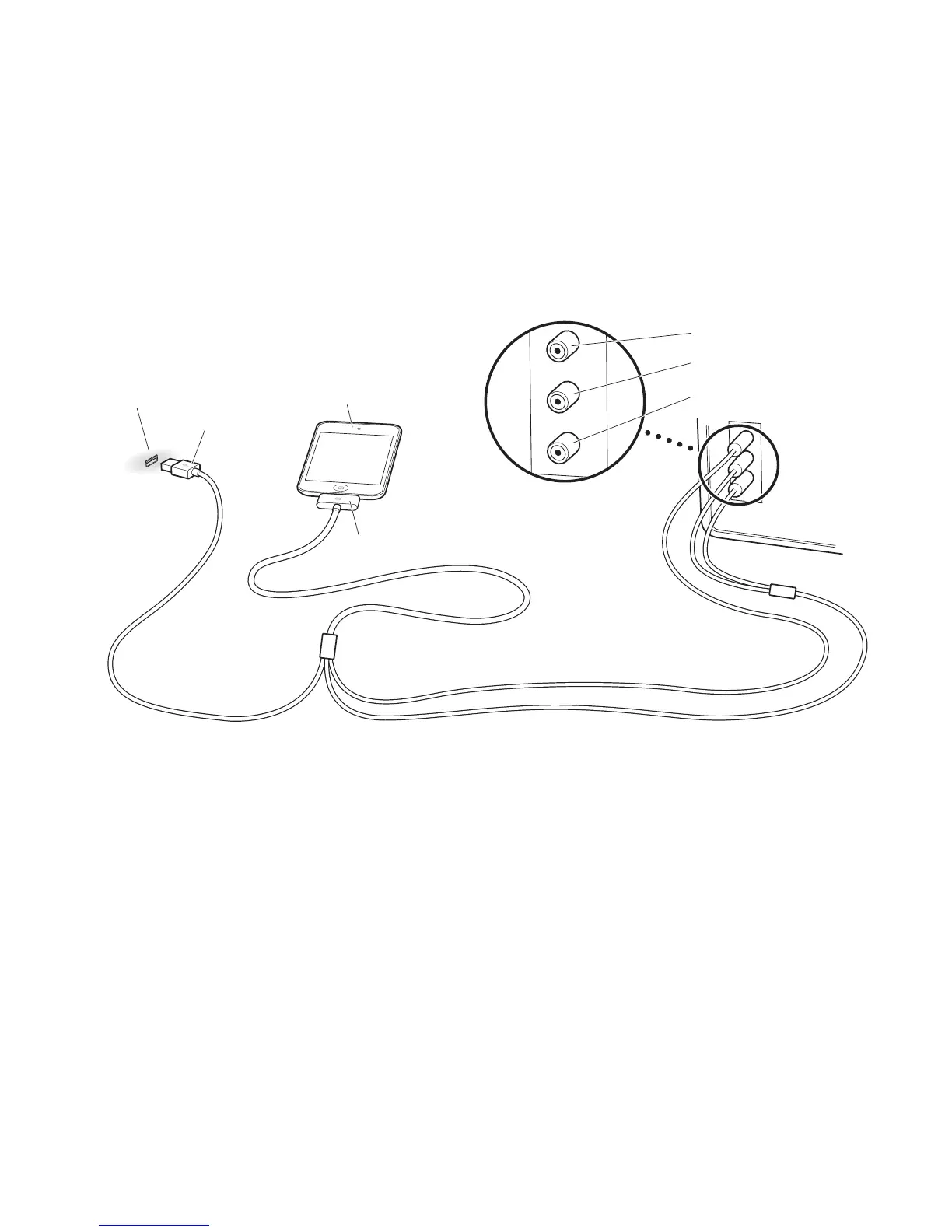
Make sure you set your iPod, iPhone, or iPad to send a video signal out to your TV
or receiver. For more information, see the user guide for your iPod, iPhone, or iPad,
available on the web at www.apple.com/support/manuals.
USB port
Dock Connector
USB
connector
iPod
Television
Left audio (white)
Right audio (red)
Refer to the manual that came with your TV, receiver, or other device for the location of
its ports.
Note: If your iPod doesn’t support video, you can use the Composite AV Cable for
syncing content and charging.



 To Next Page