52 Chapter 4 Adding Memory to Your Computer
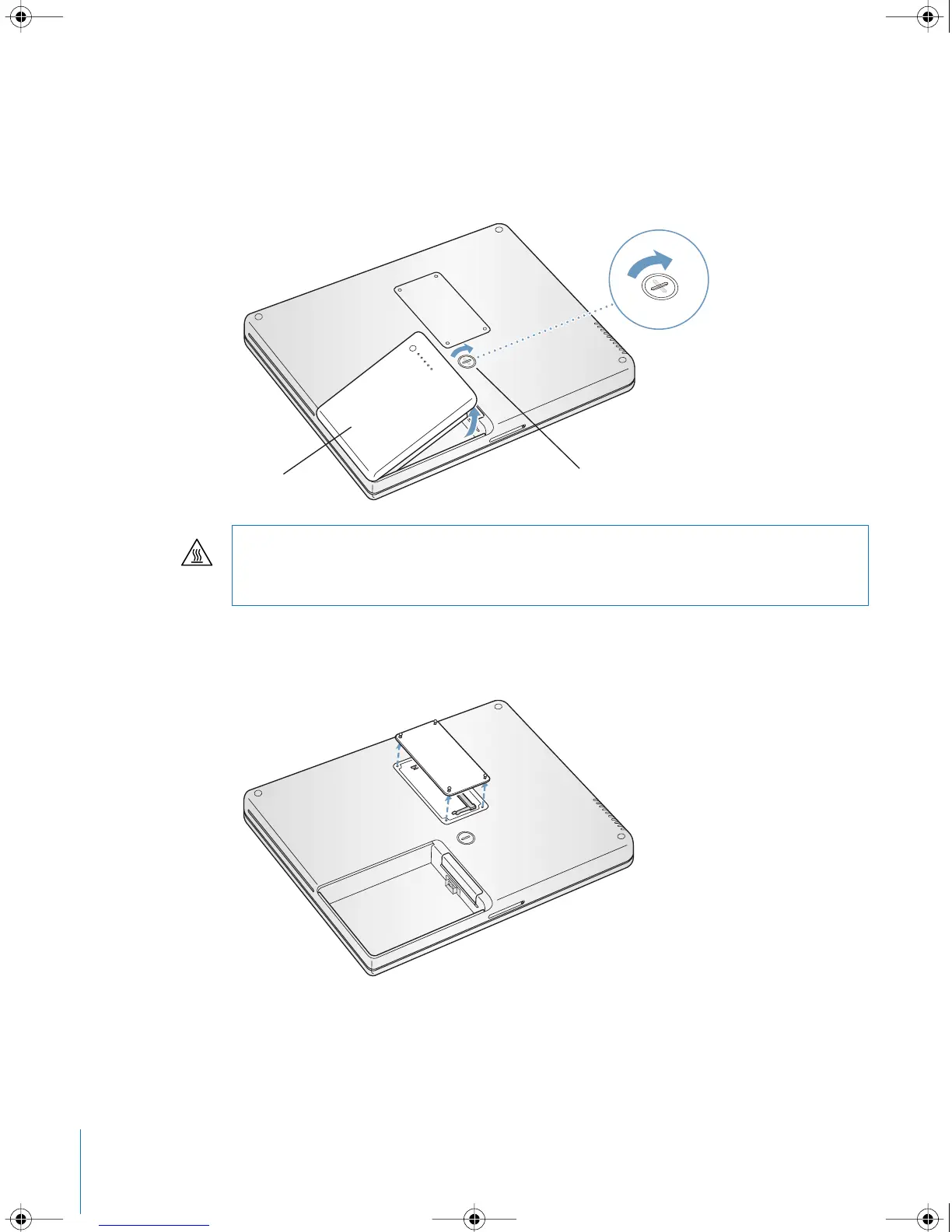
To install additional memory:
1 Shut down your computer. Disconnect the power adapter, phone cord, and any other
cables connected to the computer. Turn the computer over and remove the battery by
giving the latch a quarter turn.
2 Using a Phillips size 00 screwdriver, unscrew the memory slot door and remove it from
the bottom of your computer.
3 Touch a metal surface inside the computer to discharge any static electricity from your
body.
Warning: The internal components of your PowerBook may be hot. If you have been
using your PowerBook, wait 10 minutes after shutting down to let the internal
components cool before continuing.
Battery Latch
LL2540.book Page 52 Thursday, March 11, 2004 2:20 PM



 To Next Page