54 Chapter 4 Adding Memory to Your Computer
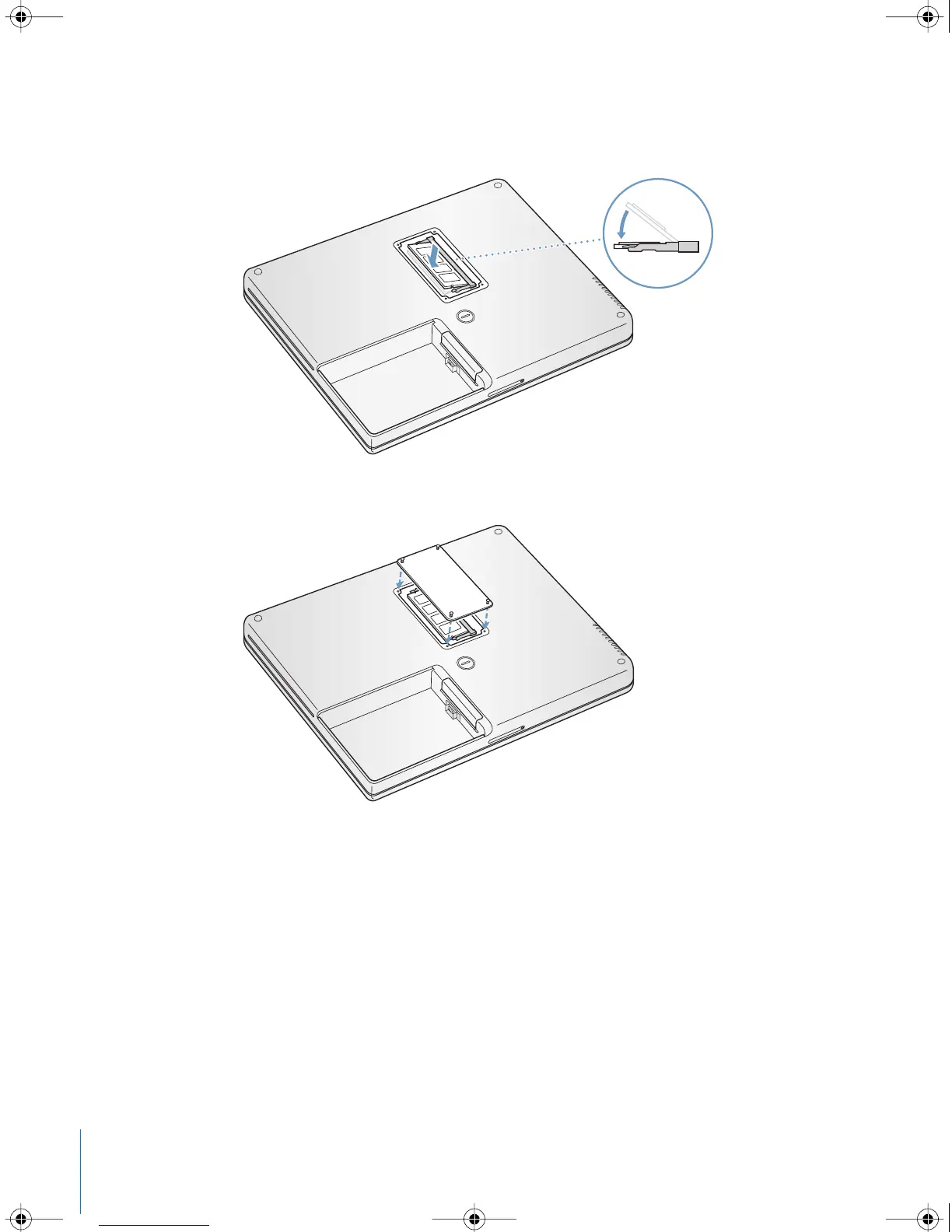
6 Press down on the memory card to lock it in place. If the memory card does not latch,
do not force the card down. Try reinserting the card to make sure it is fully seated.
7 Replace the memory slot door and screw it into place.
Note: To avoid damage, be careful not to overtighten the screws.
LL2540.book Page 54 Thursday, March 11, 2004 2:20 PM



 To Next Page