21 -
iBook G4 (12-inch Mid 2005) Take Apart
Memory Card
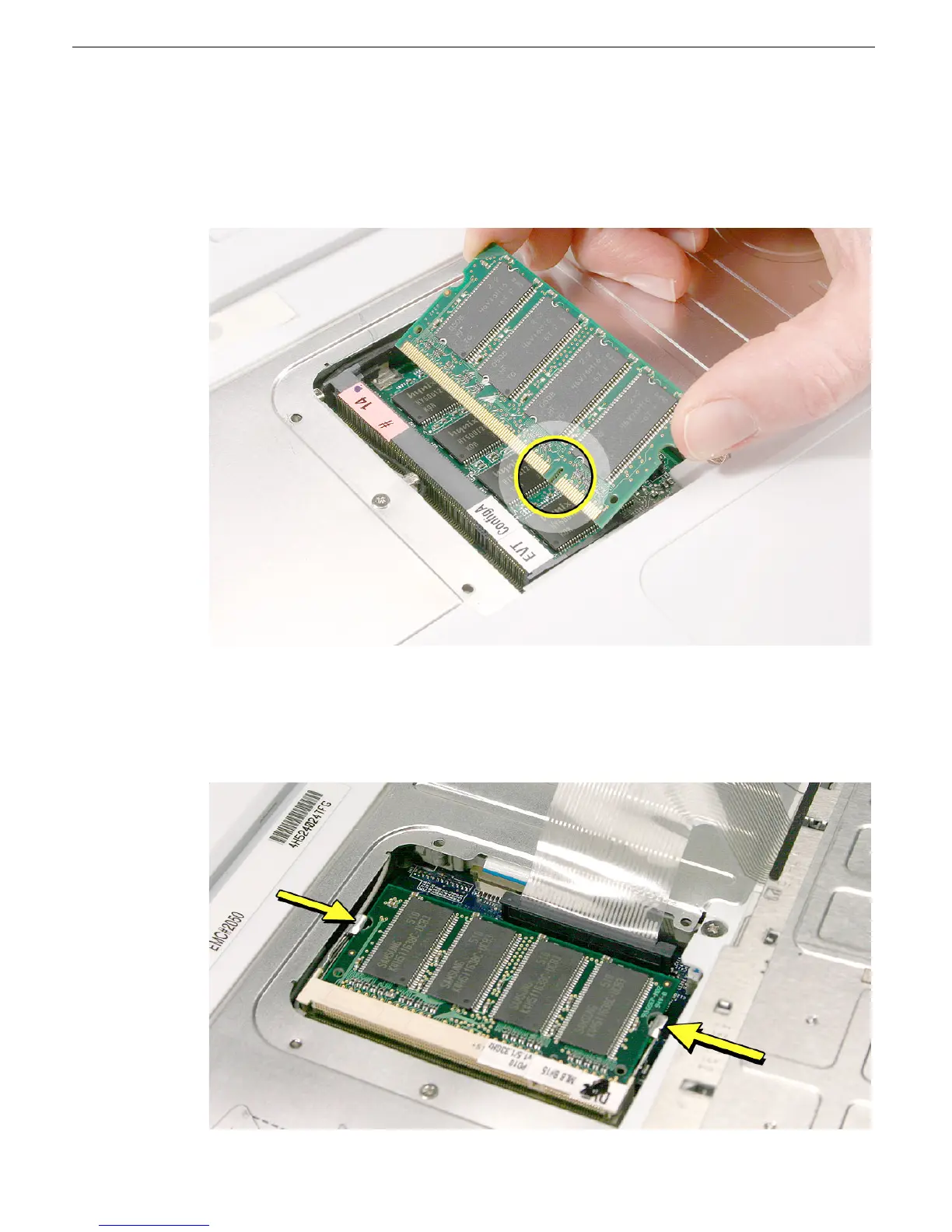
4. Align the notch in the replacement memory card with the small tab in the memory slot.
Hold the card at a 30-degree angle, then push the card into the slot until it is firmly
seated.
Note:
If you feel resistance when inserting the card, try pushing one side at a time.
5. Gently push the top of the card down until the brackets snap onto both sides of the
memory card to lock it into place.
Warning:
Apply gentle pressure to the memory card only. Pressing on nearby
connectors or components can cause electrical damage.
6. Reassemble and test the computer.



 To Next Page