81 - iBook G4 (12-inch Mid 2005) Take Apart
AirPort Extreme/Bluetooth Card
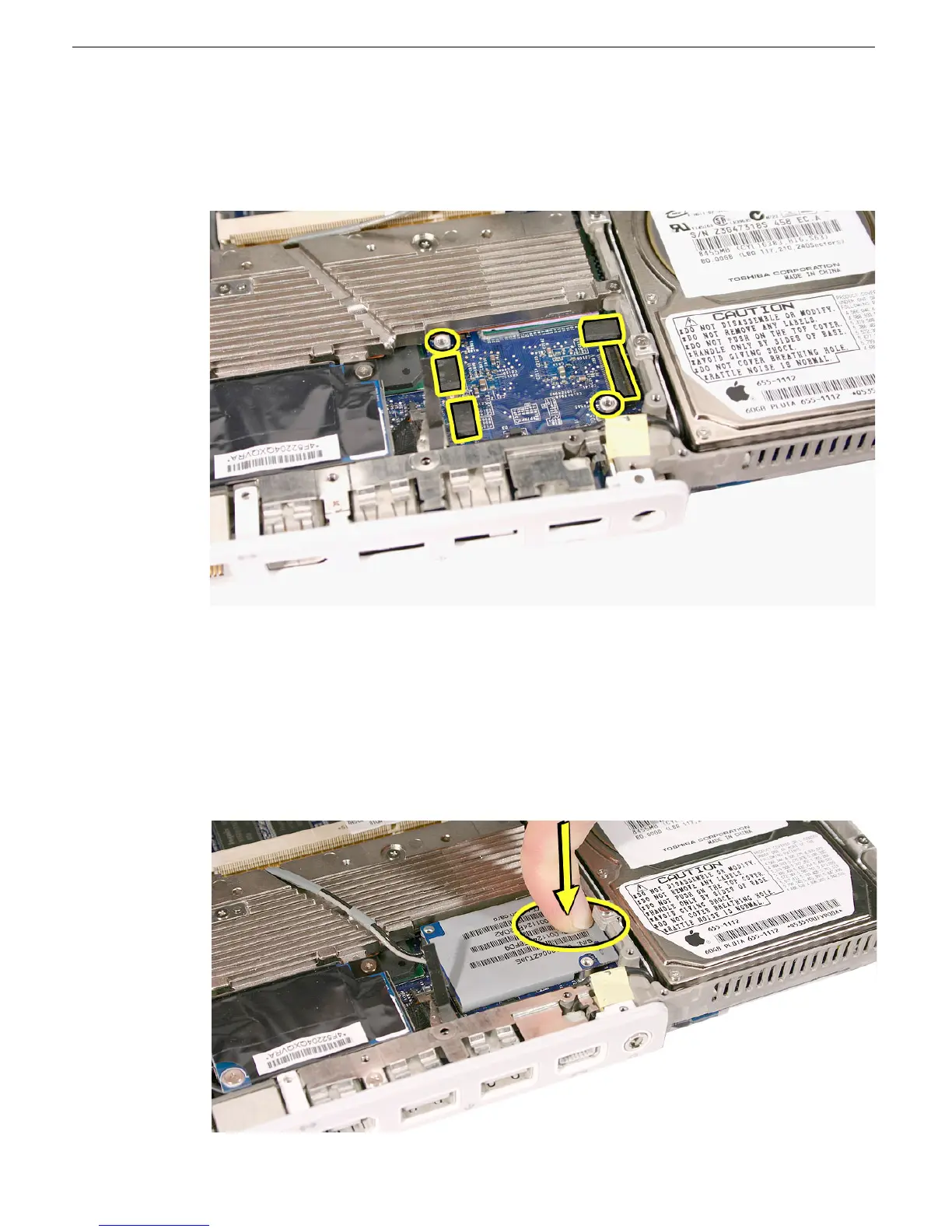
9. Install the replacement AirPort Extreme/Bluetooth card, and reassemble and test the
computer. Follow these important replacement considerations:
• Check that three small bumpers are installed on the logic board in the orientation
shown (in relation to the standoffs and card connector).
• After connecting the antenna cables, install the replacement card by aligning the
card directly over the connector and pressing down on the board over the
connector area only.
• Important: A soft "snap" sound tells you that the card is connected to the logic
board.
• Make sure the antenna cables are routed over the heatsink, as shown. Then install
the card holder and two screws followed by the last screw at the upper corner of
the card.



 To Next Page